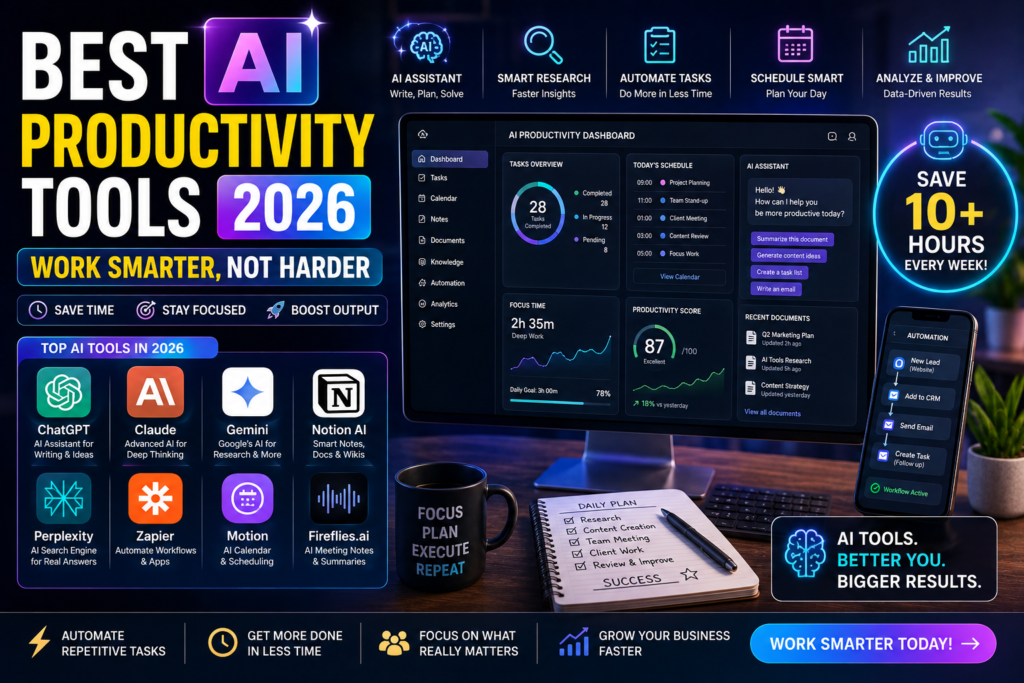
Everyone wants to get more done in less time. AI productivity tools make this possible by automating repetitive tasks, organizing workflows, and handling busywork so you can focus on what matters.
We tested 10 AI productivity tools and ranked them based on real-world performance, ease of use, and value for money.
1. Notion AI — Best for Note Taking and Organization
Notion has become the all-in-one workspace for millions of users. Its AI features help you write, summarize, brainstorm, and organize information faster.
What we liked:
- AI writing and editing inside notes
- Summarize long documents instantly
- Generate action items from meeting notes
- Templates for every use case
What we did not like:
- AI features cost extra at $10 per month
- Can feel overwhelming for new users
- Offline mode is limited
Pricing: Free tier available, Plus plan at $10 per month, AI add-on at $10 per month
Best for: Students, project managers, teams
2. Otter AI — Best for Meeting Transcription
Otter AI records and transcribes your meetings automatically. It generates summaries and action items so you never miss important details.
What we liked:
- Real-time transcription during calls
- Automatic meeting summaries
- Identifies different speakers
- Integrates with Zoom, Google Meet, Teams
What we did not like:
- Free plan limited to 300 minutes per month
- Accuracy drops with heavy accents
- No video recording feature
Pricing: Free with 300 minutes, Pro at $16.99 per month
Best for: Remote workers, managers, journalists
3. Todoist AI — Best for Task Management
Todoist uses AI to help you organize tasks, set priorities, and stay on schedule. It learns your habits and suggests optimal task scheduling.
What we liked:
- Smart task suggestions
- Natural language input for tasks
- Priority levels and deadlines
- Cross-platform sync
What we did not like:
- Free plan limited to 5 active projects
- AI features still in early stages
- No built-in time tracking
Pricing: Free tier, Pro at $5 per month, Business at $8 per month
Best for: Individuals, freelancers, small teams
4. Mem — Best for Personal Knowledge Management
Mem uses AI to organize your notes and find information instantly. It connects related ideas and surfaces relevant notes when you need them.
What we liked:
- AI-powered search across all notes
- Automatic organization and tagging
- Connects related notes automatically
- Clean and simple interface
What we did not like:
- Smaller community than Notion
- Limited template options
- Learning curve for advanced features
Pricing: Free tier, Mem X at $14.99 per month
Best for: Writers, researchers, knowledge workers
5. Reclaim AI — Best for Calendar Management
Reclaim AI automatically schedules your tasks, habits, and meetings. It finds the best time slots and protects your focus time.
What we liked:
- Auto-schedule tasks into calendar
- Protects focus and deep work time
- Smart meeting scheduling
- Integrates with Google Calendar
What we did not like:
- Only works with Google Calendar
- No Outlook support yet
- Can be aggressive with scheduling
Pricing: Free for individuals, Teams plan at $12 per user per month
Best for: Busy professionals, remote teams
6. Tldv — Best for Meeting Notes
Tldv records your meetings and creates AI-powered notes with key takeaways, action items, and timestamps.
What we liked:
- Free for up to 5 recordings per month
- Timestamped highlights
- Auto-generated summaries
- Share meeting notes with team
What we did not like:
- Limited free recordings
- Zoom integration better than Google Meet
- No mobile app
Pricing: Free tier, Pro at $25 per month
Best for: Sales teams, project managers
7. Zapier AI — Best for Automation
Zapier connects your apps and automates workflows. Its new AI features let you build automations using plain English descriptions.
What we liked:
- Connects over 6000 apps
- AI-powered workflow builder
- Pre-built templates
- No coding required
What we did not like:
- Free plan limited to 100 tasks per month
- Complex automations require paid plan
- Can be slow with many steps
Pricing: Free with 100 tasks, Starter at $29.99 per month
Best for: Small businesses, marketers, anyone using multiple apps
8. Grammarly — Best for Writing
Grammarly goes beyond grammar checking. Its AI helps you write better emails, documents, and messages with tone suggestions and clarity improvements.
What we liked:
- Real-time grammar and spelling fixes
- Tone and style suggestions
- Works in browser, email, and apps
- Free tier is generous
What we did not like:
- Advanced features require premium
- Can be overly aggressive with suggestions
- Sometimes misunderstands context
Pricing: Free tier, Premium at $12 per month, Business at $15 per month
Best for: Professionals, students, anyone who writes emails
9. Fireflies AI — Best for Meeting Records
Fireflies AI automatically records transcribes and analyzes your meetings. It integrates with all major video conferencing platforms.
What we liked:
- Automatic recording and transcription
- AI-powered meeting analytics
- Action item extraction
- Search across all meetings
What we did not like:
- Free tier limited features
- Occasional transcription errors
- Storage limits on free plan
Pricing: Free tier, Pro at $18 per month, Business at $29 per month
Best for: Sales teams, HR departments, large organizations
10. Clockwise — Best for Time Management
Clockwise uses AI to optimize your calendar by moving flexible meetings and creating large blocks of uninterrupted focus time.
What we liked:
- Automatically creates focus time
- Moves flexible meetings intelligently
- Team scheduling optimization
- Works with Google Calendar
What we did not like:
- No Outlook support
- Requires team adoption for best results
- Limited features on free plan
Pricing: Free for individuals, Teams at $6.75 per user per month
Best for: Teams, managers, anyone with packed calendars
Comparison Table
| Tool | Price | Free Tier | Best For | Rating |
|---|---|---|---|---|
| Notion AI | $10/mo | Yes | Notes and org | 4.6/5 |
| Otter AI | $16.99/mo | Yes | Meeting notes | 4.4/5 |
| Todoist AI | $5/mo | Yes | Task management | 4.5/5 |
| Mem | $14.99/mo | Yes | Knowledge mgmt | 4.2/5 |
| Reclaim AI | $12/mo | Yes | Calendar mgmt | 4.3/5 |
| Tldv | $25/mo | Yes | Meeting records | 4.1/5 |
| Zapier AI | $29.99/mo | Yes | Automation | 4.5/5 |
| Grammarly | $12/mo | Yes | Writing | 4.7/5 |
| Fireflies AI | $18/mo | Yes | Meeting analytics | 4.2/5 |
| Clockwise | $6.75/mo | Yes | Time management | 4.0/5 |
Final Verdict
For note taking choose Notion AI. For meetings pick Otter AI. For writing go with Grammarly. For automation use Zapier AI.
Start with free tiers of Grammarly, Todoist, and Otter AI. These three tools alone will significantly boost your daily productivity.
If you enjoyed this article, you may also like:
- 5 AI Gateways That Offer Free Tokens in 2026
- How to Build a Humanoid Robot in 2026: Costs, Timeline & Complete Blueprint
- Best AI Research Tools in 2026: ChatGPT, Claude, Gemini & Perplexity
- Best AI Resume Builders in 2026 — Free
- ChatGPT Review — Is It Worth Paying For in 2026?
- 10 Best Free AI Tools You Should Use in 2026
- Best AI Video Generators in 2026 — Free and Paid
- Best AI for Students in 2026: Top 10 Tools for Learning
- How AI Learns From Humans to Build Physical Robots
- How AI Learns From Humans to Build Physical Robots
- Why LangGraph Is So Popular in Enterprises — Pros, Cons & Real-World Use Cases in 2026
- ChatGPT vs Gemini vs Claude vs Grok 2026
- DeepSeek V4 vs Grok 4 vs Claude Opus 5 vs Nvidia Nemotron vs Gemini 2.5 Pro — The Ultimate AI Model Comparison for 2026
- AI Agent and LLM Frameworks Comparison 2026: LangChain vs LangGraph vs CrewAI vs AutoGen vs LlamaIndex vs Semantic Kernel
- Best Multi-Agent AI Platforms in 2026: CrewAI vs AutoGen vs LangGraph vs OpenAI Agents SDK vs Agno vs Semantic Kernel
- Best AI Development Platforms in 2026: OpenAI API vs Anthropic API vs Google AI Studio vs Vertex AI vs Azure AI Foundry vs AWS Bedrock vs Hugging Face
- Exploring the Latest AI Tools and Technologies
- How to Use ChatGPT for Business — A Complete Beginner Guide
- How to Write Blog Posts with AI — A Proven Step-by-Step Guide
- Best AI Coding Assistants 2026
- Ultimate Guide to the 10 Best AI Chatbots in 2026
- Claude AI Review — Best ChatGPT Alternative in 2026
- Jasper AI Review — Is It Worth $49/Month in 2026?
- How to Use AI for Social Media Marketing — Complete Guide
- AI Tools for Small Business Owners — Save 10 Hours/Week
- AI Tools for Content Creators
- Best AI Music Generators in 2026 — Create Songs in Minutes
- AI Design Tools Compared: Canva AI vs Adobe Firefly vs Midjourney
- Best AI Writing Tools 2026
- 10 Free AI Tools You Should Try in 2026
- Best AI Image Generators in 2026 — Free and Paid Compared
- Best AI Productivity Tools in 2026 — Work Smarter, Not Harder
- ChatGPT vs Claude in 2026 — Which AI Is Actually Better?
Visit Aidacoit.com for more AI comparisons, practical AI tutorials, enterprise AI insights, and emerging technology trends.
Pingback: How to Use ChatGPT for Business — A Complete Beginner Guide - Aidacoit
Pingback: #post_titleAI Tools for Small Business Owners — Save 10 Hours/Week Aidacoit Aidacoit Aidacoit
Pingback: Best AI Music Generators in 2026 — Create Songs in Minutes - Aidacoit
Pingback: AI Design Tools Compared — Canva AI vs Adobe Firefly vs Midjourney - Aidacoit
Pingback: 10 Free AI Tools You Should Try in 2026 - Aidacoit
Pingback: ChatGPT vs Claude in 2026 — Which AI Is Actually Better? - Aidacoit
Pingback: AI Security Guardrails for Enterprises
Pingback: 5 Best AI Coding Assistants in 2026 — Tested and Compared
Pingback: Why LangGraph Is So Popular in Enterprises
Pingback: 10 AI Tools That Can Replace Hours of Manual Work Every Week (2026)
Pingback: ChatGPT vs Gemini vs Claude vs Grok (2026) – Ultimate AI Comparison Guide
Pingback: Is AI Rilo Sold in 200 Cr.? What Is AI Rilo? Why Adobe Acquired This Indian AI Startup Within a Year of Launch - Aidacoit