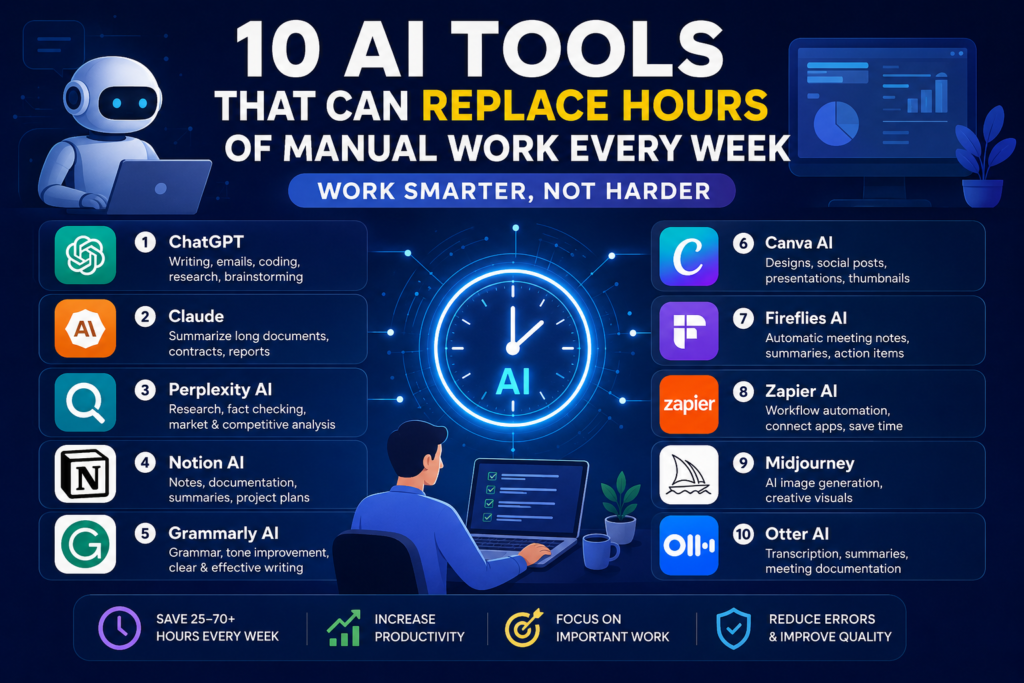
Artificial Intelligence is no longer a futuristic concept. In 2026, AI tools are helping professionals, entrepreneurs, students, marketers, developers, and businesses save countless hours every week.
Tasks that once required manual effort—writing emails, creating presentations, analyzing data, researching information, generating images, scheduling meetings, and managing workflows—can now be completed in minutes with the right AI tools.
In this guide, you’ll discover 10 powerful AI tools that can replace hours of manual work every week, helping you become more productive while focusing on high-value activities.
Why AI Productivity Tools Matter in 2026
Most professionals spend significant time on repetitive tasks such as:
- Writing emails
- Creating reports
- Data analysis
- Social media content creation
- Meeting notes
- Research
- Customer support
- Document management
AI tools automate these tasks, allowing you to:
✅ Save 5–20 hours every week
✅ Improve work quality
✅ Reduce human errors
✅ Increase productivity
✅ Focus on strategic work
Let’s explore the best AI tools available today.
1. ChatGPT – Your AI Assistant for Everything


7
Best For
- Writing content
- Email drafting
- Research
- Coding assistance
- Brainstorming ideas
- Business planning
How It Saves Time
Instead of spending hours:
- Writing reports
- Drafting proposals
- Researching topics
- Creating documentation
ChatGPT can generate high-quality drafts within minutes.
Time Saved Weekly
5–10 hours
Pros
- Easy to use
- Supports multiple languages
- Great for content creation
- Excellent coding support
Cons
- Requires good prompts
- May need fact-checking
2. Claude – Best AI for Long Documents


5
Best For
- Large reports
- Contracts
- Research papers
- Meeting transcripts
How It Saves Time
Claude can read lengthy documents and generate:
- Summaries
- Action items
- Key insights
- Comparisons
Instead of reading a 100-page report, Claude can summarize it in minutes.
Time Saved Weekly
3–8 hours
Ideal Users
- Analysts
- Researchers
- Consultants
- Managers
3. Perplexity AI – Research in Minutes
Best For
- Web research
- Fact checking
- Market research
- Competitive analysis
How It Saves Time
Instead of opening dozens of websites manually, Perplexity:
- Searches the web
- Summarizes findings
- Provides references
- Answers complex questions
Time Saved Weekly
2–6 hours
Ideal Users
- Bloggers
- Students
- Researchers
- Content marketers
4. Notion AI – Smart Workspace Automation
Best For
- Notes
- Documentation
- Project management
- Team collaboration
How It Saves Time
Notion AI can:
- Generate meeting notes
- Summarize documents
- Create project plans
- Draft content
Time Saved Weekly
2–5 hours
Popular Use Cases
- Team documentation
- Knowledge management
- SOP creation
5. Grammarly AI – Writing and Editing Assistant
Best For
- Emails
- Reports
- LinkedIn posts
- Business communication
How It Saves Time
Grammarly AI automatically:
- Fixes grammar
- Improves tone
- Rewrites sentences
- Enhances readability
Time Saved Weekly
1–4 hours
Why Professionals Love It
Clear communication improves productivity and reduces misunderstandings.
6. Canva AI – Design Without a Designer


6
Best For
- Social media graphics
- Presentations
- Marketing materials
- Business visuals
How It Saves Time
Canva AI can generate:
- Social posts
- Banners
- Presentations
- Thumbnails
within minutes.
Time Saved Weekly
3–7 hours
Perfect For
- Small businesses
- Bloggers
- YouTubers
- Marketers
7. Fireflies AI – Automatic Meeting Notes
Best For
- Meeting transcription
- Team collaboration
- Interview recording
How It Saves Time
Instead of manually taking notes during meetings:
Fireflies AI automatically:
- Records meetings
- Generates transcripts
- Creates summaries
- Extracts action items
Time Saved Weekly
2–5 hours
Great For
Remote and hybrid teams.
8. Zapier AI – Workflow Automation
Best For
- Repetitive tasks
- Business processes
- Workflow automation
How It Saves Time
Zapier connects apps like:
- Gmail
- Slack
- Google Sheets
- CRM platforms
and automates repetitive work.
Example:
When a lead submits a form:
- Add to CRM
- Send email
- Notify sales team
automatically.
Time Saved Weekly
5–15 hours
Best For
- Business owners
- Sales teams
- Operations teams
9. Midjourney – AI Image Creation
Best For
- Blog images
- Marketing visuals
- Creative projects
- Concept art
How It Saves Time
Instead of spending hours creating graphics:
Midjourney can generate professional-quality images from text prompts.
Time Saved Weekly
2–6 hours
Popular Among
- Bloggers
- Designers
- Content creators
10. Otter AI – Instant Meeting Documentation
Best For
- Team meetings
- Interviews
- Client calls
How It Saves Time
Otter AI automatically:
- Records conversations
- Creates transcripts
- Generates summaries
- Identifies speakers
Time Saved Weekly
2–5 hours
Perfect For
Managers, recruiters, and consultants.
Weekly Time Savings Comparison
| AI Tool | Estimated Time Saved |
|---|---|
| ChatGPT | 5–10 Hours |
| Claude | 3–8 Hours |
| Perplexity | 2–6 Hours |
| Notion AI | 2–5 Hours |
| Grammarly AI | 1–4 Hours |
| Canva AI | 3–7 Hours |
| Fireflies AI | 2–5 Hours |
| Zapier AI | 5–15 Hours |
| Midjourney | 2–6 Hours |
| Otter AI | 2–5 Hours |
Potential Total Savings: 25–70+ hours per week
How to Choose the Right AI Tool
Choose based on your primary workload:
For Writers
- ChatGPT
- Claude
- Grammarly
For Researchers
- Perplexity
- Claude
For Designers
- Canva AI
- Midjourney
For Businesses
- Zapier
- Fireflies AI
- Otter AI
For Productivity
- Notion AI
- ChatGPT
Final Thoughts
AI is no longer just a productivity boost—it has become a competitive advantage. Professionals who leverage AI tools effectively can accomplish more work in less time, improve quality, and focus on innovation rather than repetitive tasks.
If you’re just getting started, begin with ChatGPT, Perplexity, and Canva AI. Once you’re comfortable, add workflow automation tools like Zapier and collaboration tools like Fireflies AI to unlock even greater productivity gains.
The biggest question in 2026 isn’t whether you should use AI—it’s how much time you’re still spending on tasks that AI can already do for you.
If you enjoyed this article, you may also like:
- 5 AI Gateways That Offer Free Tokens in 2026
- How to Build a Humanoid Robot in 2026: Costs, Timeline & Complete Blueprint
- Best AI Research Tools in 2026: ChatGPT, Claude, Gemini & Perplexity
- Best AI Resume Builders in 2026 — Free
- ChatGPT Review — Is It Worth Paying For in 2026?
- 10 Best Free AI Tools You Should Use in 2026
- Best AI Video Generators in 2026 — Free and Paid
- Best AI for Students in 2026: Top 10 Tools for Learning
- How AI Learns From Humans to Build Physical Robots
- How AI Learns From Humans to Build Physical Robots
- Why LangGraph Is So Popular in Enterprises — Pros, Cons & Real-World Use Cases in 2026
- ChatGPT vs Gemini vs Claude vs Grok 2026
- DeepSeek V4 vs Grok 4 vs Claude Opus 5 vs Nvidia Nemotron vs Gemini 2.5 Pro — The Ultimate AI Model Comparison for 2026
- AI Agent and LLM Frameworks Comparison 2026: LangChain vs LangGraph vs CrewAI vs AutoGen vs LlamaIndex vs Semantic Kernel
- Best Multi-Agent AI Platforms in 2026: CrewAI vs AutoGen vs LangGraph vs OpenAI Agents SDK vs Agno vs Semantic Kernel
- Best AI Development Platforms in 2026: OpenAI API vs Anthropic API vs Google AI Studio vs Vertex AI vs Azure AI Foundry vs AWS Bedrock vs Hugging Face
- Exploring the Latest AI Tools and Technologies
- How to Use ChatGPT for Business — A Complete Beginner Guide
- How to Write Blog Posts with AI — A Proven Step-by-Step Guide
- Best AI Coding Assistants 2026
- Ultimate Guide to the 10 Best AI Chatbots in 2026
- Claude AI Review — Best ChatGPT Alternative in 2026
- Jasper AI Review — Is It Worth $49/Month in 2026?
- How to Use AI for Social Media Marketing — Complete Guide
- AI Tools for Small Business Owners — Save 10 Hours/Week
- AI Tools for Content Creators
- Best AI Music Generators in 2026 — Create Songs in Minutes
- AI Design Tools Compared: Canva AI vs Adobe Firefly vs Midjourney
- Best AI Writing Tools 2026
- 10 Free AI Tools You Should Try in 2026
- Best AI Image Generators in 2026 — Free and Paid Compared
- Best AI Productivity Tools in 2026 — Work Smarter, Not Harder
- ChatGPT vs Claude in 2026 — Which AI Is Actually Better?
Visit Aidacoit.com for more AI comparisons, practical AI tutorials, enterprise AI insights, and emerging technology trends.