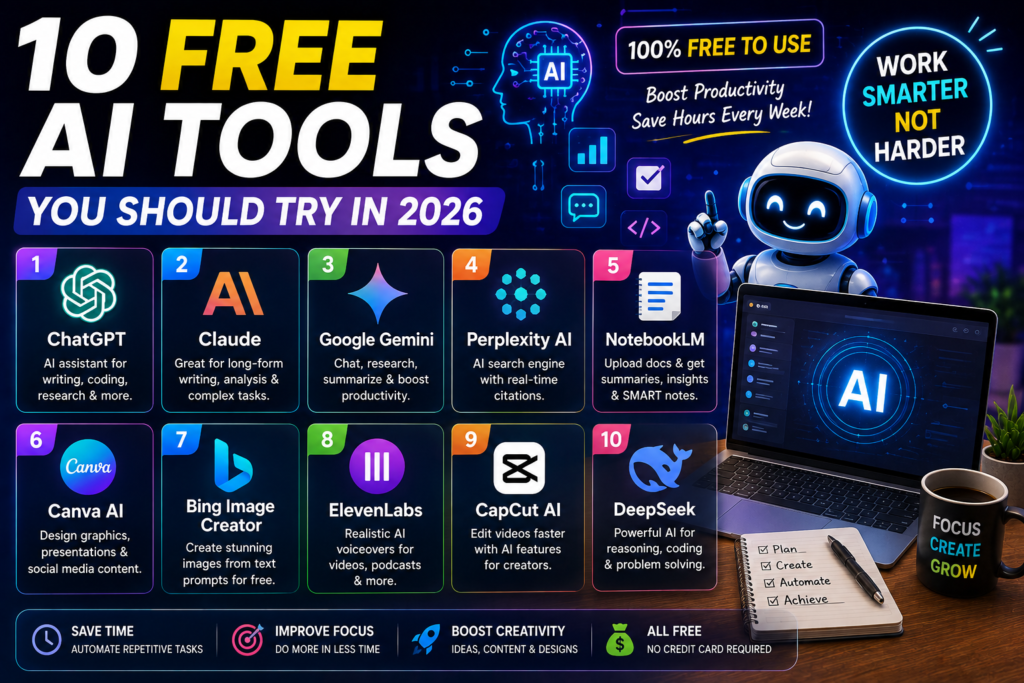
Most AI tools charge monthly fees but there are excellent options available for free. We tested dozens of AI tools and found 10 that offer real value without spending a single dollar.
Here are the best free AI tools you should start using today.
1. ChatGPT Free — Best All-Round AI Assistant
OpenAI offers ChatGPT for free with access to GPT-4o mini model. You can use it for writing, research, brainstorming, and simple coding tasks.
What you get for free:
- Unlimited messages with GPT-4o mini
- Web browsing for real-time answers
- File upload and analysis
- Mobile app included
Limitations: Slower during peak hours, no access to GPT-4o or image generation.
Perfect for: Students, freelancers, anyone who needs a quick AI assistant.
2. Google Gemini — Best for Google Users
Google Gemini is free for all Google account holders. It integrates with Gmail, Docs, and Google Search making it useful for everyday tasks.
What you get for free:
- Unlimited conversations
- Image understanding and analysis
- Integration with Google Workspace
- Real-time Google Search results
Limitations: Less creative than ChatGPT, sometimes overly cautious with responses.
Perfect for: Anyone who already uses Google services daily.
3. Canva AI — Best for Design
Canva offers free AI features including text to image generation, background removal, andMagic Write for content suggestions.
What you get for free:
- AI image generation (limited credits)
- Background remover
- Magic Write for text
- Thousands of free templates
Limitations: Premium AI features require Canva Pro subscription.
Perfect for: Social media managers, small business owners, content creators.
4. Notion AI — Best for Productivity
Notion offers limited free AI features for note taking, summarization, and content generation within its workspace.
What you get for free:
- AI-powered search across notes
- Summarize long documents
- Basic content generation
- Task management with AI suggestions
Limitations: Full AI features require Notion AI add-on at $10 per month.
Perfect for: Students, project managers, anyone who takes lots of notes.
5. Perplexity AI — Best for Research
Perplexity AI is a free search engine that provides AI-powered answers with source citations. It is like having a research assistant.
What you get for free:
- Unlimited searches with citations
- Source verification for every answer
- Follow-up questions
- Focus modes for academic or news searches
Limitations: Pro search limited to 5 queries per day on free tier.
Perfect for: Researchers, students, anyone who needs accurate information fast.
6. Gamma — Best for Presentations
Gamma creates beautiful presentations, documents, and webpages using AI. Simply describe what you need and it builds it for you.
What you get for free:
- Create unlimited presentations
- AI-generated layouts and designs
- Export to PDF
- Custom themes and fonts
Limitations: Free tier includes Gamma branding on exports.
Perfect for: Professionals who need quick presentations, teachers, students.
7. Descript — Best for Video and Audio
Descript offers free AI tools for video editing, transcription, and podcast production. Its AI can remove filler words and generate captions automatically.
What you get for free:
- 1 hour of transcription
- Basic video editing
- Auto captions
- filler word removal
Limitations: Free plan limited to 1 project and 1 hour of transcription.
Perfect for: YouTubers, podcasters, content creators.
8. Otter AI — Best for Meetings
Otter AI transcribes meetings and calls in real time using AI. It generates summaries and action items automatically.
What you get for free:
- 300 minutes of transcription per month
- Real-time transcription
- AI meeting summaries
- Integration with Zoom and Google Meet
Limitations: Free plan limited to 300 minutes and basic features.
Perfect for: Remote workers, managers, anyone who attends lots of meetings.
9. Leonardo AI — Best for Image Generation
Leonardo AI offers free AI image generation with daily credits. You can create stunning artwork, product mockups, and social media visuals.
What you get for free:
- 150 tokens daily for image generation
- Multiple AI models to choose from
- Image editing tools
- Community gallery for inspiration
Limitations: Daily token limit, some premium models require paid plan.
Perfect for: Designers, marketers, anyone who needs custom images.
10. QuillBot — Best for Paraphrasing
QuillBot helps rewrite and improve text using AI. It is useful for students, writers, and professionals who want to polish their content.
What you get for free:
- Paraphrasing tool with multiple modes
- Grammar checker
- Summarizer
- Citation generator
Limitations: Free plan limited to 125 words in paraphraser.
Perfect for: Students, academic writers, non-native English speakers.
Quick Comparison
| Tool | Best For | Free Limit | Rating |
|---|---|---|---|
| ChatGPT | All-rounder | Unlimited | 4.7/5 |
| Google Gemini | Google users | Unlimited | 4.3/5 |
| Canva AI | Design | Limited credits | 4.5/5 |
| Notion AI | Productivity | Basic features | 4.2/5 |
| Perplexity | Research | Unlimited searches | 4.6/5 |
| Gamma | Presentations | Unlimited | 4.4/5 |
| Descript | Video editing | 1 hour | 4.1/5 |
| Otter AI | Meetings | 300 min/month | 4.0/5 |
| Leonardo AI | Images | 150 tokens/day | 4.3/5 |
| QuillBot | Paraphrasing | 125 words | 4.2/5 |
Final Thoughts
You do not need to spend money to use powerful AI tools. Every tool on this list offers genuine free features that can improve your workflow.
Start with ChatGPT for general tasks, Perplexity for research, and Canva AI for design. These three alone cover most needs completely free.
If you enjoyed this article, you may also like:
- 5 AI Gateways That Offer Free Tokens in 2026
- How to Build a Humanoid Robot in 2026: Costs, Timeline & Complete Blueprint
- Best AI Research Tools in 2026: ChatGPT, Claude, Gemini & Perplexity
- Best AI Resume Builders in 2026 — Free
- ChatGPT Review — Is It Worth Paying For in 2026?
- 10 Best Free AI Tools You Should Use in 2026
- Best AI Video Generators in 2026 — Free and Paid
- Best AI for Students in 2026: Top 10 Tools for Learning
- How AI Learns From Humans to Build Physical Robots
- How AI Learns From Humans to Build Physical Robots
- Why LangGraph Is So Popular in Enterprises — Pros, Cons & Real-World Use Cases in 2026
- ChatGPT vs Gemini vs Claude vs Grok 2026
- DeepSeek V4 vs Grok 4 vs Claude Opus 5 vs Nvidia Nemotron vs Gemini 2.5 Pro — The Ultimate AI Model Comparison for 2026
- AI Agent and LLM Frameworks Comparison 2026: LangChain vs LangGraph vs CrewAI vs AutoGen vs LlamaIndex vs Semantic Kernel
- Best Multi-Agent AI Platforms in 2026: CrewAI vs AutoGen vs LangGraph vs OpenAI Agents SDK vs Agno vs Semantic Kernel
- Best AI Development Platforms in 2026: OpenAI API vs Anthropic API vs Google AI Studio vs Vertex AI vs Azure AI Foundry vs AWS Bedrock vs Hugging Face
- Exploring the Latest AI Tools and Technologies
- How to Use ChatGPT for Business — A Complete Beginner Guide
- How to Write Blog Posts with AI — A Proven Step-by-Step Guide
- Best AI Coding Assistants 2026
- Ultimate Guide to the 10 Best AI Chatbots in 2026
- Claude AI Review — Best ChatGPT Alternative in 2026
- Jasper AI Review — Is It Worth $49/Month in 2026?
- How to Use AI for Social Media Marketing — Complete Guide
- AI Tools for Small Business Owners — Save 10 Hours/Week
- AI Tools for Content Creators
- Best AI Music Generators in 2026 — Create Songs in Minutes
- AI Design Tools Compared: Canva AI vs Adobe Firefly vs Midjourney
- Best AI Writing Tools 2026
- 10 Free AI Tools You Should Try in 2026
- Best AI Image Generators in 2026 — Free and Paid Compared
- Best AI Productivity Tools in 2026 — Work Smarter, Not Harder
- ChatGPT vs Claude in 2026 — Which AI Is Actually Better?
Visit Aidacoit.com for more AI comparisons, practical AI tutorials, enterprise AI insights, and emerging technology trends.
Pingback: Aidacoit.com Aidacoit - Aidacoit.com Aidacoit Aidacoit.com
Pingback: 10 AI Tools That Can Replace Hours of Manual Work Every Week (2026)
Pingback: The Ultimate AI Model Comparison for 2026 - Aidacoit
Pingback: Why LangGraph Is So Popular in Enterprises: Pros, Cons, and Real-World Use Cases in 2026 - Aidacoit
Pingback: Best AI Development Platforms in 2026 - Aidacoit
Pingback: Best Multi-Agent AI Platforms in 2026 - Aidacoit
Pingback: ChatGPT vs Gemini vs Claude vs Grok (2026) – Ultimate AI Comparison Guide