By Aidacoit.com | AI Tools, Reviews & Comparisons
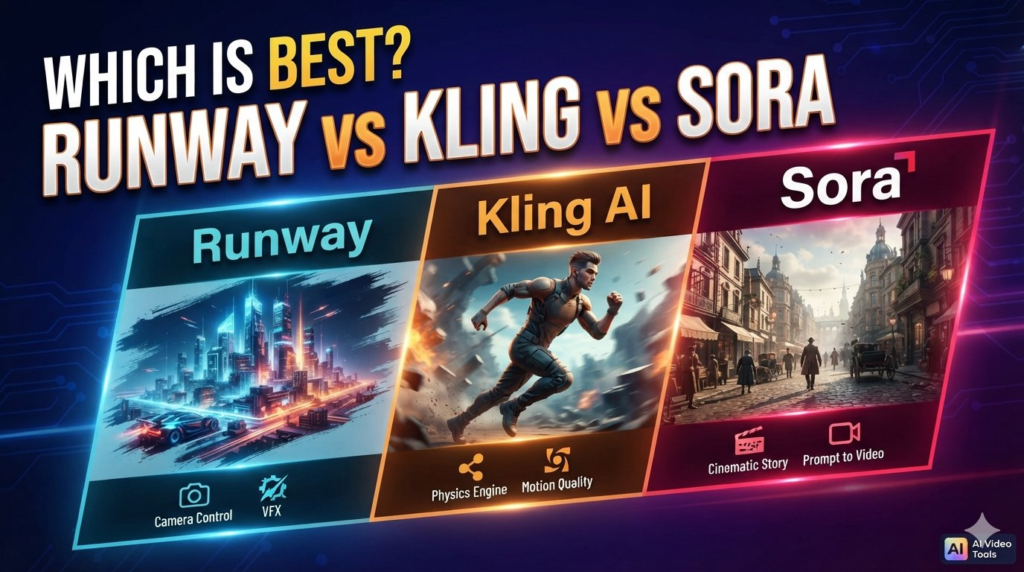
AI video generators are changing how creators produce YouTube videos, social media reels, product advertisements, cinematic scenes, and marketing content. Tools such as Runway and Kling AI offer powerful video-generation capabilities, while OpenAI’s Sora became widely known for creating realistic videos from text prompts.
But which AI video generator is the best choice? Is Runway better for professional video production? Can Kling AI deliver more realistic motion and longer scenes? And is Sora still worth considering in 2026?
In this guide, we compare Runway, Kling AI, and Sora based on video quality, motion realism, creative control, editing capabilities, pricing considerations, and practical use cases. We will also explain an important update about Sora’s availability so you can make an informed decision before investing in an AI video tool.
Quick verdict: Runway is worth considering for creators who need a broader video production workflow, Kling AI is a strong option for cinematic motion and story-driven clips, and Sora remains relevant as a technology comparison—but its standalone app and API have been discontinued as of October 2026.
Runway vs Kling AI vs Sora: Quick Comparison
| Feature | Runway | Kling AI | OpenAI Sora |
|---|---|---|---|
| Primary strength | Creative production and editing | Motion and cinematic storytelling | Realistic video generation and prompt understanding |
| Text-to-video | Yes, with supported models | Yes, with supported models | Historically supported |
| Image-to-video | Yes | Yes | Historically supported |
| Character consistency | Model-dependent tools and controls | Reference-based consistency features | Historically supported, with limitations |
| Native audio | Available with supported models and tools | Supported by newer video models | Previously supported |
| Editing workflow | Broad creative toolkit | Generation, storyboards and editing tools | Standalone product discontinued |
| Best use case | Marketing, creative production and video workflows | Cinematic scenes, character action and short narratives | Studying earlier AI video capabilities |
| Current standalone availability | Available | Available | Discontinued |
| Best for new users | Strong all-round option | Strong option for motion-focused creators | Not recommended as a new standalone subscription |
Note: Features depend on the specific model, subscription, region, and platform. Sora’s standalone web and app experiences ended on April 26, 2026, and its API was scheduled for shutdown on September 24, 2026. Verify current access before purchasing any service that advertises Sora models.
1. What Is Runway AI?
Runway is an AI-powered creative platform that helps users generate and refine visual content. It is designed for filmmakers, video creators, advertisers, designers, and businesses that want to incorporate AI into their production workflows.
Its video-generation models can turn written prompts or images into video clips. The platform also offers additional creative tools for editing, visual effects, audio, and other production tasks.
Runway’s Gen-4.5 model supports text-to-video and image-to-video generation, with detailed prompt instructions for camera movements, scene composition, and motion.
Key features of Runway
- Text-to-video generation: Describe a scene and generate a video clip.
- Image-to-video: Animate a still image to create movement.
- Creative control: Guide camera choreography, composition, and visual style through prompts.
- Video editing tools: Refine footage and use supported video-to-video workflows.
- Audio tools: Access supported audio-generation and sound-effect features.
- Professional workflows: Integrate AI-generated assets into broader creative projects.
Advantages of Runway
Runway is particularly useful when generating a clip is only one part of a larger project. Creators may need to create several shots, experiment with different visual styles, edit footage, and prepare assets for a campaign.
Its broader creative toolkit makes it worth evaluating for commercial content and professional production.
For example, a marketing team could generate product visuals, create alternative versions of a campaign scene, and refine the footage before adding branding and final captions.
Limitations of Runway
Runway is not a magic replacement for a complete video production team. AI-generated clips may contain inconsistent details, unnatural movement, or visual errors. Results also vary with prompt quality and the model being used.
Credit consumption is another consideration. Runway’s official pricing page lists a free tier with a one-time allocation of 125 credits and paid plans with monthly credits. Advanced generations can consume credits quickly, particularly when you need several attempts to obtain the desired result.
Best for: Content creators, filmmakers, marketing teams, designers, and businesses that need generation and editing capabilities in one creative environment.
Explore the official platform: https://runway.com/
2. What Is Kling AI?
Kling AI is an AI video-generation platform focused on transforming text prompts, reference images, and other supported inputs into moving visual scenes.
It has gained attention among creators who want realistic motion, expressive characters, and cinematic-looking videos without filming every scene themselves.
Newer Kling video models have introduced features such as native audio, multi-shot generation, reference-based subject consistency, and longer clips. The exact capabilities depend on the model and generation settings selected.
Key features of Kling AI
- Text-to-video: Create moving scenes from written descriptions.
- Image-to-video: Animate images into video clips.
- Reference-based generation: Use supported references to help maintain a subject’s appearance.
- Multi-shot storytelling: Generate scenes with multiple camera shots using supported models.
- Native audio: Produce audio alongside video with supported configurations.
- Flexible creative controls: Adjust prompts, duration, and other available generation settings.
Advantages of Kling AI
Kling AI is worth testing when motion and storytelling are central to your project.
Imagine creating a short promotional video showing a sports car driving through a rainy city at night. You may want the vehicle to remain visually consistent while the camera moves and reflections change across the scene.
Kling’s motion-focused and reference-based features can help with this kind of task, although results still require review.
It can also be useful for creators who want to build short cinematic sequences from AI-generated characters, environments, or reference images.
Limitations of Kling AI
Kling AI can still produce visual inconsistencies, particularly in complicated interactions, fast movement, hands, faces, and scenes involving multiple characters.
The quality of the final output also depends on the model, resolution, duration, and generation settings. Audio and advanced features may consume additional credits.
Before choosing a subscription, check the available free credits, current plan restrictions, commercial-use terms, and export options.
Best for: YouTube creators, short-film makers, social media creators, and marketers who prioritize cinematic movement and short narrative scenes.
Explore the official platform: https://kling.ai/
3. What Was OpenAI Sora?
OpenAI’s Sora became known for generating videos from text descriptions and visual inputs. It attracted attention because users could describe a scene in natural language and receive an AI-generated video.
Historically, Sora supported features such as text-to-video generation, image-based creation, remixing, and storyboard-style control. Its capabilities made it an important reference point in the development of generative video technology.
However, there is a significant availability change that anyone comparing these tools must understand.
Sora’s standalone web and app experiences were discontinued on April 26, 2026. Its API was scheduled to be discontinued on September 24, 2026. As of October 2026, new users should not assume that they can subscribe to or use the former standalone Sora service.
Runway has previously listed third-party models, including Sora 2 Pro, among models available through its platform. However, model listings can change, and availability after the API shutdown must be verified directly with the provider.
What made Sora notable?
- Natural-language video creation: Users could describe scenes in ordinary language.
- Visual realism: Sora demonstrated the potential for detailed, realistic-looking generated footage.
- Creative scene generation: It could create imaginative settings and complex visual concepts.
- Storyboard-oriented workflows: Earlier product features supported more structured scene planning.
- Multimodal generation: Earlier versions supported video creation from text and images, with audio capabilities in later generations.
Limitations and current status
AI video generation can struggle with physical interactions, object permanence, precise movement, and consistency across complicated scenes. Sora was not exempt from these general limitations.
More importantly, its former standalone service is no longer available. This makes Sora different from Runway and Kling AI when selecting a tool for a new project.
Best for: Historical comparison, understanding the evolution of AI video generation, and evaluating any currently available third-party implementation only after confirming access and terms.
Official update: https://help.openai.com/en/articles/20001152-what-to-know-about-the-sora-discontinuation
4. Runway vs Kling AI vs Sora: Video Quality
Video quality is not just about how realistic a single frame looks. It also depends on motion, scene continuity, camera movement, lighting, facial details, and how well the model follows your instructions.
Runway: Creative control and production flexibility
Runway is a compelling choice if you need a video generator as part of a larger production workflow. Its supported models offer detailed prompt control and tools for refining creative output.
It is worth testing for product advertising, branded visuals, cinematic establishing shots, and creative projects that require multiple revisions.
Kling AI: Motion and short cinematic narratives
Kling AI is a strong candidate when a scene depends on visible movement or character action. Features such as reference-based generation and multi-shot workflows can help creators develop short visual narratives.
However, motion quality is scene-dependent. Test difficult movements and character interactions before using the results in a paid campaign.
Sora: Historical capabilities, not a current standalone choice
Sora demonstrated impressive generative video capabilities, but its former standalone service is discontinued.
For a new production project, comparing the current versions of Runway and Kling AI is more practical than choosing a discontinued standalone service.
Our recommendation: Do not decide from promotional demonstrations alone. Generate the same scene in the currently available tools, using comparable prompts and settings, then compare the results side by side.
5. Which AI Video Tool Is Best for YouTube Videos?
The best tool depends on the type of YouTube content you create.
For faceless YouTube channels
If you create educational videos, explainers, documentaries, or narrated stories, Runway and Kling AI can help generate supporting visuals.
For example, an educational video about future cities could use AI-generated skyscrapers, transport systems, and futuristic landscapes. You can then combine those clips with narration, music, captions, and supporting footage in a video editor.
Keep in mind that generating short clips is different from automatically producing an entire finished YouTube video.
For cinematic storytelling
Kling AI is worth testing for dramatic scenes, moving characters, and short narrative sequences. Runway is also a strong candidate if your process involves generating and refining several shots.
Create a storyboard first, then generate each scene individually if a single prompt does not provide enough control.
For YouTube Shorts and Instagram Reels
Both Runway and Kling AI can help produce vertical visual content when the selected model supports the desired aspect ratio.
For better results:
- Write a short script with one clear idea.
- Divide the script into visual scenes.
- Generate clips that match each scene.
- Edit the clips into a vertical format.
- Add accurate captions, narration, and sound.
- Review the finished video before publishing.
Avoid relying on AI-generated text inside the footage for important titles, product labels, or captions. Adding those elements in a video editor often provides more control.
6. Which AI Video Tool Is Best for Marketing and Business?
Businesses need to consider more than visual quality. Workflow, repeatability, brand consistency, editing flexibility, and usage rights are equally important.
| Business use case | Tool to evaluate | Why |
|---|---|---|
| Product advertisements | Runway or Kling AI | Generate visual concepts and product scenes |
| Social media campaigns | Runway or Kling AI | Create short clips for different platforms |
| Concept videos and storyboards | Runway or Kling AI | Test creative ideas before production |
| Cinematic brand storytelling | Kling AI or Runway | Experiment with motion and camera direction |
| Existing Sora-based workflow | Verify alternatives | The former standalone service is discontinued |
Before using AI-generated footage commercially, review the provider’s current terms and any restrictions relating to commercial use, likenesses, trademarks, and copyrighted material.
For business-critical campaigns, have a human review the output for visual defects and factual accuracy before publication.
7. Runway vs Kling AI: Pricing and Value for Money
Pricing is an important factor when choosing an AI video generator, particularly if you publish videos frequently.
Runway has offered a free tier with a one-time credit allocation and paid subscriptions with monthly credits. Kling AI also uses plan- and model-dependent generation allowances and credits.
Exact costs can change, so it is better to check the official pricing pages immediately before subscribing rather than relying on an outdated price comparison.
| Cost consideration | What to check |
|---|---|
| Free access | Whether free credits are available and whether they expire |
| Generation cost | Credits required for each second or clip |
| Output quality | Whether your preferred resolution requires a higher-tier plan |
| Regeneration | How many attempts you may need to get a usable result |
| Audio | Whether native audio or voice features cost extra |
| Commercial use | Whether your intended use is allowed by the plan |
| Export restrictions | Watermarks, resolution limits, and download options |
How to calculate your real cost
Suppose you want to create a one-minute video using multiple short AI-generated clips. You may need several generations for each final clip because some outputs will not meet your expectations.
Your effective cost is therefore not simply the price of generating 60 seconds of footage. It includes unused attempts, editing time, any additional audio costs, and the subscription required to access the model.
Money-saving tip: Start with a short test project before purchasing a long-term plan. Compare the number of usable clips you get from the same budget, rather than comparing advertised generation limits alone.
Official pricing pages:
- Runway: https://runway.com/pricing
- Kling AI: https://kling.ai/
8. How to Get Better Results From AI Video Generators
Regardless of which tool you select, your prompts have a major influence on the final output.
A vague prompt such as “a man walking in a city” leaves many details unspecified. A more descriptive prompt gives the model clearer visual direction.
Example AI video prompt
Prompt:
“Create a cinematic 8-second video of a professional cyclist riding through a modern city street at sunrise. Use a low-angle tracking shot, realistic wheel movement, natural golden-hour lighting, subtle reflections on the road, and a shallow depth of field. Keep the cyclist’s clothing and bicycle visually consistent throughout the shot. Use smooth camera movement and realistic proportions.”
You can adapt this prompt for Runway or Kling AI, adjusting it for the selected model’s supported duration, aspect ratio, and generation settings.
Five practical prompting tips
- Describe the subject clearly. Specify the main person, object, or environment.
- Define the action. Explain what should happen during the clip.
- Specify the camera movement. Try a tracking shot, close-up, aerial view, or slow pan.
- Describe lighting and atmosphere. Include details such as daylight, fog, reflections, or dramatic shadows.
- Keep scenes manageable. Generate complex stories as separate shots when consistency is difficult.
A good prompt can improve the odds of getting a usable result, but it cannot guarantee perfect motion or eliminate every visual error.
9. Can You Make Money With AI Video Tools?
Yes, AI video tools can support several types of paid creative work. However, buying a subscription does not automatically create income. Success depends on the quality of your output, your customers, your distribution strategy, and your ability to deliver consistently.
Here are some practical business opportunities.
1. Short-form video services
Offer businesses short promotional clips for social media. Potential clients include restaurants, local retailers, coaches, and online businesses.
Build a small portfolio with three to five sample videos before approaching customers.
2. YouTube content production
Use AI-generated footage as supporting visuals for educational videos, explainers, storytelling, and documentaries.
Combine it with original scripts, useful narration, fact-checking, and meaningful editing. Avoid producing large volumes of repetitive, low-value content simply to chase views or advertising revenue.
3. Product advertisements
Create concept videos for e-commerce brands and small businesses. Clearly communicate when visuals are illustrative or AI-generated, especially when the footage could misrepresent a real product.
4. AI video tutorials and reviews
Publish tutorials comparing video generators, explaining prompt techniques, and demonstrating practical workflows.
If you publish reviews on Aidacoit.com, include your own testing, screenshots or original examples, limitations, and clear recommendations. This makes the content more useful to readers than a simple list of features copied from product pages.
5. Affiliate marketing
Some software companies operate affiliate or referral programs. If a suitable program is available, you can earn commissions from qualifying referrals, subject to its terms.
Always disclose affiliate relationships clearly and do not imply that a product is free or superior without evidence.
10. Final Verdict: Which AI Video Tool Should You Choose?
There is no single AI video generator that is best for every creator. The right choice depends on your workflow, the type of footage you need, your budget, and how much editing you are willing to do.
Choose Runway if you want a broader creative toolkit for video generation, editing, and production workflows.
Choose Kling AI if you want to experiment with cinematic movement, reference-based subject consistency, and short narrative scenes.
Consider Sora only as a historical comparison or through a verified alternative implementation. Its standalone web and app experiences have been discontinued, so it should not be treated as a currently available standalone subscription.
Our recommendation for 2026
For most new creators deciding between these tools, start by testing Runway and Kling AI with the same three prompts: a realistic human action, a product advertisement, and a cinematic landscape.
Compare motion quality, consistency, usable output, generation costs, and editing effort. Choose the tool that gives you the best final results for your specific workflow—not simply the one with the most impressive demonstration video.
At Aidacoit.com, our goal is to help readers make informed decisions about AI tools through practical comparisons, useful tutorials, and clear explanations of real-world limitations.
Frequently Asked Questions (FAQs)
1. Is Runway better than Kling AI?
Neither is universally better. Runway is worth considering for its broader creative production tools, while Kling AI is a strong candidate for motion-focused generation and cinematic storytelling. Compare current models using your own prompts before deciding.
2. Is Kling AI free to use?
Kling AI’s free access and credit allowances can vary by plan and over time. Check its official website for current availability, limits, and subscription terms before starting a project.
3. Is Sora still available in 2026?
OpenAI discontinued the standalone Sora web and app experiences on April 26, 2026. Its API was scheduled to shut down on September 24, 2026. Any claimed third-party access should be verified directly with the provider.
4. Which AI video generator is best for YouTube Shorts?
Runway and Kling AI are both worth testing for short-form videos. Your choice should depend on the desired visual style, vertical-format support, cost, and how easily you can edit the generated clips.
5. Which tool is best for realistic AI videos?
Realism depends on the model, prompt, subject, movement, and generation settings. Runway and Kling AI are both candidates for realistic footage, but you should test the specific scenes you intend to produce.
6. Can I use AI-generated videos commercially?
Commercial use depends on the provider’s current terms, the subscription plan, and the content you generate. Review the applicable licensing terms and ensure that your work does not improperly use protected brands, copyrighted material, or someone’s likeness.
7. Can AI video generators create complete YouTube videos?
They can generate video clips and, depending on the tool, support additional production steps. A polished YouTube video may still require scripting, narration, editing, captions, music, and human review.
8. Which AI video tool is best for beginners?
Beginners should prioritize ease of use, affordable testing, understandable controls, and the ability to export usable footage. Try a small project in Runway and Kling AI before committing to a paid subscription.
Disclaimer: Product features, subscription plans, model availability, and pricing may change. Verify the latest information on the official provider websites before purchasing a subscription. This article is for informational purposes and is not an endorsement or guarantee of results.
About Aidacoit.com: Aidacoit.com publishes practical AI tool reviews, technology comparisons, tutorials, and insights to help individuals and businesses understand and use artificial intelligence.
If you enjoyed the article, you may also like:
- 5 AI Gateways That Offer Free Tokens in 2026
- How to Build a Humanoid Robot in 2026: Costs, Timeline & Complete Blueprint
- Best AI Research Tools in 2026: ChatGPT, Claude, Gemini & Perplexity
- Best AI Resume Builders in 2026 — Free
- ChatGPT Review — Is It Worth Paying For in 2026?
- 10 Best Free AI Tools You Should Use in 2026
- Best AI Video Generators in 2026 — Free and Paid
- Best AI for Students in 2026: Top 10 Tools for Learning
- How AI Learns From Humans to Build Physical Robots
- How AI Learns From Humans to Build Physical Robots
- Why LangGraph Is So Popular in Enterprises — Pros, Cons & Real-World Use Cases in 2026
- ChatGPT vs Gemini vs Claude vs Grok 2026
- DeepSeek V4 vs Grok 4 vs Claude Opus 5 vs Nvidia Nemotron vs Gemini 2.5 Pro — The Ultimate AI Model Comparison for 2026
- AI Agent and LLM Frameworks Comparison 2026: LangChain vs LangGraph vs CrewAI vs AutoGen vs LlamaIndex vs Semantic Kernel
- Best Multi-Agent AI Platforms in 2026: CrewAI vs AutoGen vs LangGraph vs OpenAI Agents SDK vs Agno vs Semantic Kernel
- Best AI Development Platforms in 2026: OpenAI API vs Anthropic API vs Google AI Studio vs Vertex AI vs Azure AI Foundry vs AWS Bedrock vs Hugging Face
- Exploring the Latest AI Tools and Technologies
- How to Use ChatGPT for Business — A Complete Beginner Guide
- How to Write Blog Posts with AI — A Proven Step-by-Step Guide
- Best AI Coding Assistants 2026
- Ultimate Guide to the 10 Best AI Chatbots in 2026
- Claude AI Review — Best ChatGPT Alternative in 2026
- Jasper AI Review — Is It Worth $49/Month in 2026?
- How to Use AI for Social Media Marketing — Complete Guide
- AI Tools for Small Business Owners — Save 10 Hours/Week
- AI Tools for Content Creators
- Best AI Music Generators in 2026 — Create Songs in Minutes
- AI Design Tools Compared: Canva AI vs Adobe Firefly vs Midjourney
- Best AI Writing Tools 2026
- 10 Free AI Tools You Should Try in 2026
- Best AI Image Generators in 2026 — Free and Paid Compared
- Best AI Productivity Tools in 2026 — Work Smarter, Not Harder
- ChatGPT vs Claude in 2026 — Which AI Is Actually Better?
- ChatGPT vs Gemini vs Claude vs Grok (2026): Which AI Assistant Should You Actually Use?