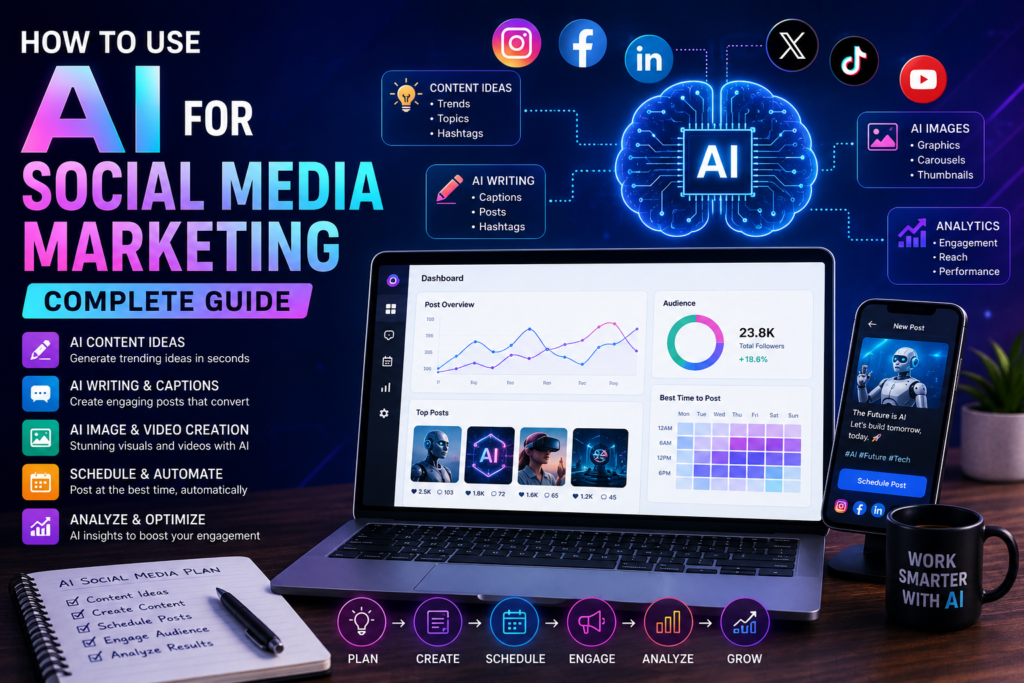
Social media marketing demands consistency, creativity, and speed. You need fresh content daily, engaging captions, and eye-catching visuals — all while running your business.
AI tools can handle much of this workload, giving you back hours every week. This guide shows you exactly how to use AI for social media marketing, with practical examples and ready-to-use prompts.
Why Use AI for Social Media?
Before diving into tools and techniques, here’s why AI is transforming social media marketing:
- Save time — Generate weeks of content in hours
- Overcome creative blocks — Never stare at a blank screen again
- Maintain consistency — Post regularly without burnout
- Test more variations — Create multiple versions for A/B testing
- Scale your efforts — Manage more accounts with less effort
Studies show marketers save an average of 10 hours per week using AI for content creation. That’s time you can spend on strategy, engagement, and growth.
Best AI Tools for Social Media
1. ChatGPT — Content Creation Engine
Best for: Writing captions, generating ideas, creating content calendars
ChatGPT is your all-purpose content creation tool:
- Generate post ideas for any platform
- Write captions in different tones and styles
- Create content calendars for weeks ahead
- Draft responses to comments and DMs
- Repurpose blog content into social posts
Pricing: Free / $20/month (Plus)
2. Canva AI — Visual Content
Best for: Creating images, graphics, and short videos
Canva’s Magic Studio includes:
- Text-to-image generation
- Background removal
- Magic Resize (one design → all platforms)
- AI-powered design suggestions
- Video editing with AI
Pricing: Free / $13/month (Pro)
3. Buffer / Hopper — Scheduling + AI
Best for: Planning, scheduling, and analyzing posts
These tools now include AI features:
- AI-generated post suggestions
- Optimal posting time recommendations
- Content repurposing suggestions
- Performance analytics
Pricing: Free tier available / $6-15/month
4. Lately AI — Content Repurposing
Best for: Turning long content into social posts
Lately AI analyzes your existing content and automatically generates social media posts:
- Blog → social posts
- Podcast → clips and quotes
- Webinar → highlight reels
- Newsletter → tweet threads
Pricing: $49/month
5. Midjourney / Adobe Firefly — Image Generation
Best for: Creating unique, custom visuals
Generate custom images for your social posts:
- Product mockups
- Abstract backgrounds
- Concept illustrations
- Lifestyle imagery
- Brand visuals
Pricing: Midjourney $10/month / Firefly free tier
Platform-by-Platform AI Strategies
Content types AI can help with:
- Caption writing
- Hashtag research
- Reel script writing
- Story ideas
- Carousel content
Example prompts:
For captions:
Write 5 Instagram captions for a fitness coach promoting a new 30-day challenge. Include: hook, value, call-to-action, relevant emojis. Tone: motivational and approachable. Add 30 hashtag suggestions.For Reels:
Write a 30-second Reel script for a fitness coach showing "3 exercises you're doing wrong."Include: hook (first 3 seconds), each exercise with common mistake and correction, CTA to follow for more tips.Content types AI can help with:
- Thought leadership posts
- Industry insights
- Company updates
- Employee spotlights
- Article summaries
Example prompts:
For thought leadership:
Write a LinkedIn post about why small businesses should adopt AI tools in 2026.Structure: Hook → 3 key reasons → Personal insight → Question for engagementTone: professional but conversational. Include line breaks for readability. Under 200 words.For carousel posts:
Create a 10-slide LinkedIn carousel titled "5 AI Tools Every Marketer Should Use."Each slide should have:- A bold headline- 2-3 bullet points- A practical tipInclude a hook slide and a CTA slide at the end.Twitter/X
Content types AI can help with:
- Tweet threads
- Individual tweets
- Engagement replies
- Thread hooks
- Quote tweet commentary
Example prompts:
For tweet threads:
Write a 7-tweet thread about "How AI is changing email marketing in 2026."Tweet 1: Hook that makes people stop scrollingTweets 2-6: Key insights with specific examplesTweet 7: Summary + CTA to follow for moreUse short, punchy sentences. Include relevant emojis.Content types AI can help with:
- Page posts
- Group engagement
- Ad copy
- Event descriptions
- Video scripts
Example prompts:
For page posts:
Write a Facebook post for a local bakery announcing their new AI-powered ordering system.Include: what's new, benefits for customers, how to try it, opening hours reminder.Tone: warm and community-focused. Include an engaging question at the end.TikTok
Content types AI can help with:
- Video scripts
- Trend ideas
- Hashtag strategies
- Caption writing
- Sound suggestions
Example prompts:
For video scripts:
Write a 60-second TikTok script for a digital marketer showing "3 AI tools that save me 5 hours a day."Include:- Hook (first 3 seconds)- Tool 1 with quick demo description- Tool 2 with quick demo description- Tool 3 with quick demo description- CTA to follow for moreKeep language casual and energetic.Building a Content Calendar with AI
Here’s how to create a month of social media content in one sitting:
Step 1: Generate Topic Ideas
Generate 30 social media post ideas for a digital marketing agency. Include a mix of:- Educational content (10)- Behind-the-scenes (5)- Client success stories (5)- Industry news commentary (5)- Engagement posts (questions/polls) (5)Platform: LinkedIn, Instagram, TwitterStep 2: Create Weekly Themes
Create a 4-week content calendar for a digital marketing agency.Week 1 theme: AI marketing toolsWeek 2 theme: Social media tipsWeek 3 theme: Client case studiesWeek 4 theme: Industry trendsInclude 1 post per day across LinkedIn, Instagram, and Twitter.Step 3: Batch Write Content
Use the calendar to batch-create content:
- Monday: Write all LinkedIn posts for the month
- Tuesday: Write all Instagram captions
- Wednesday: Write all Twitter posts
- Thursday: Create visual content with Canva
- Friday: Schedule everything in Buffer
AI Prompts for Specific Social Media Tasks
Generating Post Ideas
Give me 20 social media post ideas for [your niche/industry].Mix of: educational, entertaining, promotional, and engagement posts.Include specific hooks and topics, not just general themes.Repurposing Content
Turn this blog post into social media content:[paste blog post or link]Create:1. 3 LinkedIn posts (different angles)2. 5 tweets (key takeaways)3. 3 Instagram captions (with hashtag suggestions)4. 1 Facebook post (summary + CTA)Writing Engaging Captions
Write an engaging Instagram caption for [topic].Requirements:- Start with a hook that stops the scroll- Provide value in the body- End with a clear CTA- Include 5 relevant emojis- Suggest 20 hashtagsTone: [your brand tone]Creating Ad Copy
Write 5 variations of Facebook ad copy for [product/service].Include:- Attention-grabbing headline- Pain point identification- Solution presentation- Social proof element- Clear CTATarget audience: [describe audience]Responding to Comments
Write 5 friendly responses to these positive Instagram comments about our latest product launch:1. "This looks amazing!"2. "Just ordered mine!"3. "When will this be available in [country]?"4. "Love the new features"5. "Best update yet!"Best Practices for AI Social Media Content
Do’s
- Always add your brand voice — AI generates generic content; your personality makes it yours
- Include personal experiences — Stories and real examples beat generic advice
- Vary your content types — Mix educational, entertaining, and promotional posts
- Engage authentically — Use AI for drafting, but respond to comments personally
- Test and iterate — Use AI to create variations for A/B testing
- Stay current — Use AI with web browsing for trending topics
Don’ts
- Don’t publish raw AI content — It lacks personality and feels generic
- Don’t automate engagement — Respond to comments and DMs personally
- Don’t ignore analytics — Track what works and adjust
- Don’t spam — Quality over quantity, even with AI efficiency
- Don’t lose authenticity — Your audience follows YOU, not AI
- Don’t forget the human touch — Mix AI content with genuine, spontaneous posts
Measuring AI Impact on Your Social Media
Track these metrics before and after implementing AI:
| Metric | What to Track |
|---|---|
| Posting frequency | Are you posting more consistently? |
| Engagement rate | Likes, comments, shares per post |
| Reach | How many people see your content |
| Follower growth | Are you gaining followers faster? |
| Time spent | Hours per week on content creation |
| Content quality | Are posts performing better? |
| Conversion rate | Clicks, sign-ups, sales from social |
Weekly AI Workflow for Social Media
Here’s a practical weekly schedule:
| Day | Task | Time | AI Tool |
|---|---|---|---|
| Monday | Plan the week’s content themes | 30 min | ChatGPT |
| Tuesday | Write all captions and copy | 1 hour | ChatGPT / Copy.ai |
| Wednesday | Create visual content | 1 hour | Canva AI |
| Thursday | Schedule all posts | 30 min | Buffer / Hootsuite |
| Friday | Engage with community | 30 min | Manual |
| Weekend | Monitor and respond | 15 min/day | Manual |
Total time: ~4 hours/week (down from 10-15 hours without AI)
Final Thoughts
AI is transforming social media marketing from a time-consuming chore into a streamlined process. By using the right tools and prompts, you can maintain a consistent, engaging social media presence without burning out.
The key is to use AI as your assistant, not your replacement. Let it handle the heavy lifting of content creation while you focus on strategy, community building, and authentic engagement.
Start with one platform, master AI-assisted content creation there, then expand. Within a few weeks, you’ll wonder how you ever managed social media without it.
If you enjoyed this article, you may also like:
- 5 AI Gateways That Offer Free Tokens in 2026
- How to Build a Humanoid Robot in 2026: Costs, Timeline & Complete Blueprint
- Best AI Research Tools in 2026: ChatGPT, Claude, Gemini & Perplexity
- Best AI Resume Builders in 2026 — Free
- ChatGPT Review — Is It Worth Paying For in 2026?
- 10 Best Free AI Tools You Should Use in 2026
- Best AI Video Generators in 2026 — Free and Paid
- Best AI for Students in 2026: Top 10 Tools for Learning
- How AI Learns From Humans to Build Physical Robots
- How AI Learns From Humans to Build Physical Robots
- Why LangGraph Is So Popular in Enterprises — Pros, Cons & Real-World Use Cases in 2026
- ChatGPT vs Gemini vs Claude vs Grok 2026
- DeepSeek V4 vs Grok 4 vs Claude Opus 5 vs Nvidia Nemotron vs Gemini 2.5 Pro — The Ultimate AI Model Comparison for 2026
- AI Agent and LLM Frameworks Comparison 2026: LangChain vs LangGraph vs CrewAI vs AutoGen vs LlamaIndex vs Semantic Kernel
- Best Multi-Agent AI Platforms in 2026: CrewAI vs AutoGen vs LangGraph vs OpenAI Agents SDK vs Agno vs Semantic Kernel
- Best AI Development Platforms in 2026: OpenAI API vs Anthropic API vs Google AI Studio vs Vertex AI vs Azure AI Foundry vs AWS Bedrock vs Hugging Face
- Exploring the Latest AI Tools and Technologies
- How to Use ChatGPT for Business — A Complete Beginner Guide
- How to Write Blog Posts with AI — A Proven Step-by-Step Guide
- Best AI Coding Assistants 2026
- Ultimate Guide to the 10 Best AI Chatbots in 2026
- Claude AI Review — Best ChatGPT Alternative in 2026
- Jasper AI Review — Is It Worth $49/Month in 2026?
- How to Use AI for Social Media Marketing — Complete Guide
- AI Tools for Small Business Owners — Save 10 Hours/Week
- AI Tools for Content Creators
- Best AI Music Generators in 2026 — Create Songs in Minutes
- AI Design Tools Compared: Canva AI vs Adobe Firefly vs Midjourney
- Best AI Writing Tools 2026
- 10 Free AI Tools You Should Try in 2026
- Best AI Image Generators in 2026 — Free and Paid Compared
- Best AI Productivity Tools in 2026 — Work Smarter, Not Harder
- ChatGPT vs Claude in 2026 — Which AI Is Actually Better?
Visit Aidacoit.com for more AI comparisons, practical AI tutorials, enterprise AI insights, and emerging technology trends.
Pingback: AI for Content Creators — 8 Tools That Actually Work - Aidacoit
Pingback: Best AI Image Generators in 2026 — Free and Paid Compared - Aidacoit
Pingback: The Ultimate AI Model Comparison for 2026 - Aidacoit
Pingback: 5 Best AI Coding Assistants in 2026 — Tested and Compared
Pingback: Why LangGraph Is So Popular in Enterprises
Pingback: ChatGPT vs Gemini vs Claude vs Grok (2026) – Ultimate AI Comparison Guide