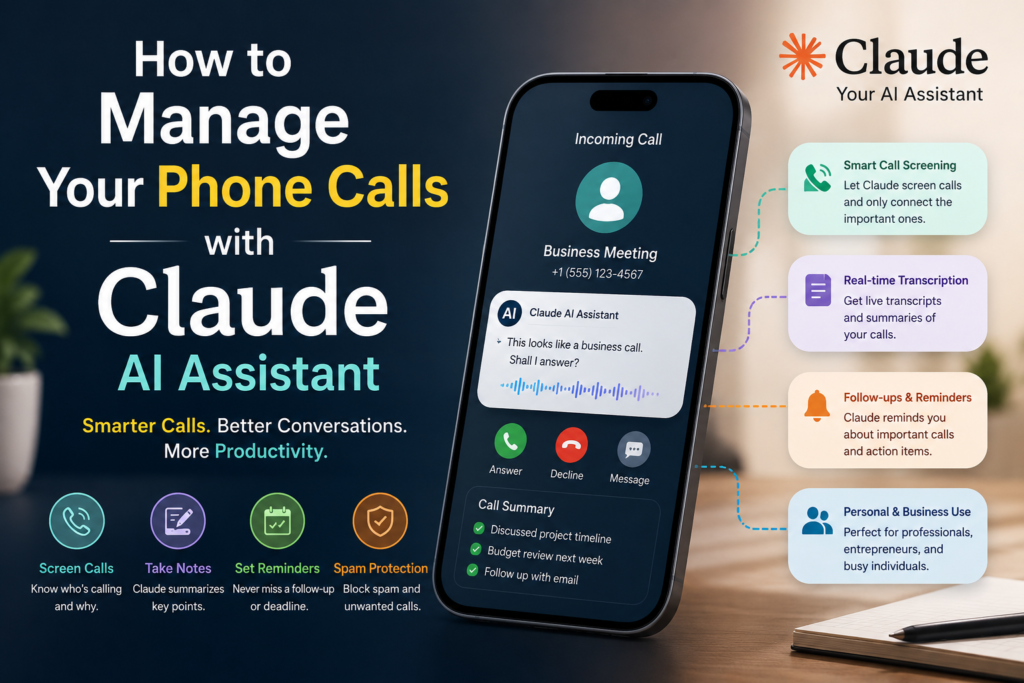
Artificial Intelligence is transforming the way we communicate. From writing emails and generating reports to managing customer support and scheduling meetings, AI assistants are becoming an essential part of daily life.
One emerging use case is AI-assisted phone call management. Many users wonder:
Can Claude AI manage phone calls?
The answer is both yes and no.
Claude AI cannot directly replace your phone app or mobile network. However, it can significantly improve how you handle calls by assisting with call preparation, transcription analysis, follow-up actions, customer support workflows, and communication management.
In this guide, we’ll explore how Claude AI can help individuals, professionals, startups, and enterprises manage phone communications more effectively.
What Is Claude AI?
Claude is an advanced AI assistant developed by Anthropic. It is designed to help users with:
- Writing
- Research
- Coding
- Document analysis
- Business automation
- Workflow management
- AI agents
Modern Claude models can understand large amounts of information, analyze conversations, and automate many communication-related tasks.
Can Claude Directly Answer Your Phone Calls?
Currently, Claude does not function as a traditional phone answering service on its own.
Claude cannot:
❌ Replace your mobile carrier
❌ Receive cellular phone calls directly
❌ Automatically answer standard mobile calls without integrations
❌ Access your phone’s call network independently
However, Claude can become part of a phone management system when integrated with:
- Voice AI platforms
- Customer support software
- CRM systems
- Business phone services
- AI agent frameworks
How Claude Can Help Manage Phone Calls
1. Summarize Call Conversations
One of Claude’s most useful capabilities is conversation analysis.
After a phone call, you can provide:
- Call transcripts
- Meeting notes
- Recorded conversation transcripts
Claude can generate:
- Key discussion points
- Important decisions
- Follow-up tasks
- Action items
- Executive summaries
Example
Input:
“Analyze this customer support call transcript.”
Output:
- Customer issue
- Resolution provided
- Escalation requirements
- Suggested next actions
This saves valuable time for teams handling large numbers of calls.
2. Generate Call Notes Automatically
Many professionals spend significant time creating call summaries.
Claude can instantly create:
- Sales call notes
- Client meeting summaries
- Support ticket updates
- Internal communication records
This improves productivity and record keeping.
3. Help Customer Support Teams
Customer support departments can use Claude to:
- Analyze customer conversations
- Identify common complaints
- Recommend solutions
- Draft responses
- Improve support quality
Benefits include:
- Faster issue resolution
- Better customer satisfaction
- Reduced agent workload
4. Assist Sales Teams
Sales representatives can use Claude before and after calls.
Before Calls
Claude can:
- Research prospects
- Generate talking points
- Create call scripts
- Prepare objection handling responses
After Calls
Claude can:
- Summarize discussions
- Create CRM notes
- Suggest next actions
- Draft follow-up emails
5. Create Professional Follow-Up Emails
Following up after a phone call is often time-consuming.
Claude can automatically generate:
- Meeting summaries
- Sales follow-ups
- Client updates
- Project discussions
- Proposal emails
Example
Prompt:
“Create a follow-up email based on this client call.”
Claude generates a professional email within seconds.
6. Schedule Meetings More Efficiently
Claude can assist with:
- Scheduling workflows
- Appointment management
- Calendar planning
- Meeting preparation
Businesses often use Claude alongside scheduling tools to streamline communication.
7. Analyze Customer Sentiment
Claude can review call transcripts and identify:
- Positive feedback
- Customer frustration
- Satisfaction levels
- Escalation risks
This helps businesses improve customer experience.
8. Improve Call Center Operations
Call centers generate thousands of conversations daily.
Claude can:
- Categorize conversations
- Identify trends
- Detect recurring issues
- Generate performance reports
Managers can use these insights to optimize operations.
9. Create AI-Powered Voice Agents
One of the most exciting developments is combining Claude with voice AI systems.
Businesses can build AI voice assistants that:
- Answer customer questions
- Collect information
- Route calls
- Schedule appointments
- Provide support
Claude acts as the intelligence layer behind the voice experience.
10. Automate Business Workflows After Calls
After a conversation ends, Claude can automate:
- CRM updates
- Ticket creation
- Task assignments
- Report generation
- Email follow-ups
This reduces manual administrative work.
Real-World Use Cases
For Freelancers
Claude can help:
- Organize client calls
- Generate meeting notes
- Create proposals
- Draft follow-up emails
For Small Businesses
Claude can:
- Improve customer service
- Manage appointment requests
- Analyze customer feedback
- Support sales processes
For Enterprises
Large organizations can use Claude to:
- Analyze thousands of call transcripts
- Improve support operations
- Enhance sales effectiveness
- Automate communication workflows
Benefits of Using Claude for Call Management
Save Time
Automate note-taking and reporting.
Improve Accuracy
Reduce manual errors in documentation.
Better Customer Service
Respond faster and more consistently.
Increased Productivity
Allow teams to focus on high-value activities.
Better Decision Making
Gain insights from communication data.
Limitations of Claude for Phone Calls
While Claude is powerful, there are some limitations.
Claude Cannot
- Directly replace a phone network
- Receive cellular calls independently
- Access personal phone records automatically
- Operate your device without permissions
Claude Works Best When Combined With
- Voice AI systems
- CRM software
- Customer support platforms
- Business communication tools
Future of AI-Powered Phone Management
The future of phone communication is increasingly AI-driven.
Over the next few years, AI assistants like Claude will likely become more integrated with:
- Business phone systems
- Customer support platforms
- Sales workflows
- Virtual assistants
- Enterprise communication tools
Organizations that adopt AI-powered communication workflows early may gain significant productivity advantages.
Is Claude Good for Managing Phone Calls?
The answer is yes—when used correctly.
Claude may not replace your phone, but it can dramatically improve how you manage conversations, customer interactions, meeting summaries, and communication workflows.
For professionals, startups, and enterprises, Claude serves as a powerful communication assistant that helps reduce repetitive work while improving efficiency and decision-making.
Final Thoughts
Phone calls remain one of the most important communication channels in business. However, managing conversations, notes, follow-ups, and customer interactions can be time-consuming.
Claude AI helps bridge that gap by transforming phone conversations into actionable insights, summaries, reports, and automated workflows.
Whether you’re a freelancer handling client calls, a sales professional closing deals, or an enterprise managing thousands of customer interactions, Claude can help make your communication process faster, smarter, and more productive.
Explore More AI Guides on Aidacoit
You may also enjoy:
- ChatGPT vs Gemini vs Claude vs Grok — Which AI Should You Actually Use in 2026?
- 30 Powerful Things Claude Can Do in 2026
- 5 AI Gateways That Offer Free Tokens in 2026
- CrewAI vs AutoGen vs LangGraph vs OpenAI Agents SDK
- Why LangGraph Is Popular Across Enterprise Teams
- Best AI Development Platforms for Startups and Enterprises
- How AI Is Training Humans to Build Physical Robots
- How to Build a Humanoid Robot: Complete Beginner Guide
👉 Visit Aidacoit.com for more AI tutorials, reviews, comparisons, and enterprise AI insights.