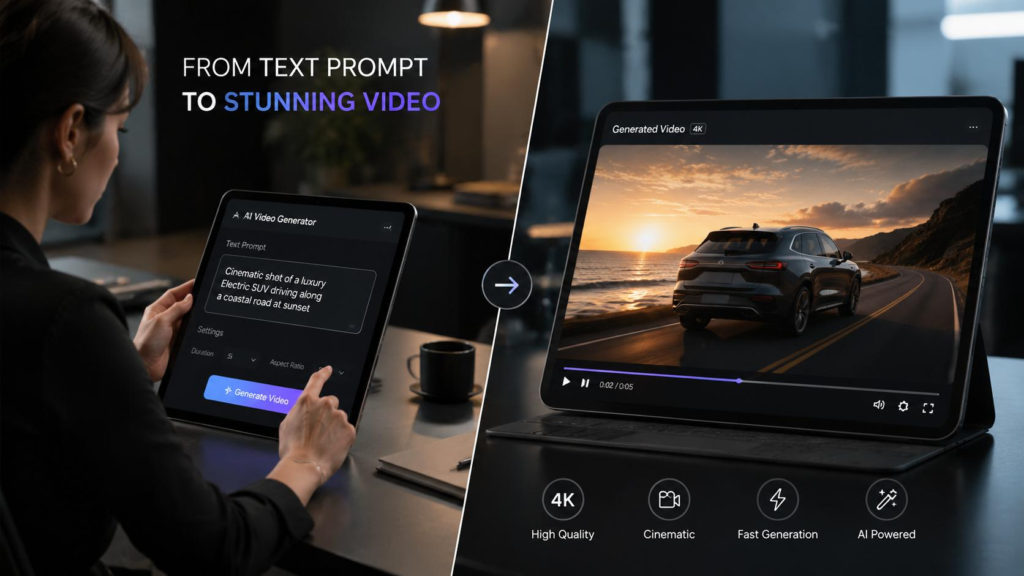
AI video generators have improved dramatically in 2026. What used to require expensive software, a professional editor, and hours of work can now be done in minutes with a simple text prompt. Here we will cover 10 Best AI Video Generators in 2026, Whether you are a content creator, marketer, or just someone who wants to experiment with AI video, there has never been a better time to try these tools.
After testing every major AI video generator available right now, I put together this comparison to help you find the right one. Some are completely free, others cost money, and a few offer both options. Here is what each tool does well, where it falls short, and who should use it.
Quick Comparison Table
| Tool | Best For | Free Version | Paid Starting Price | Video Length | Quality |
|---|---|---|---|---|---|
| Runway Gen-3 | Professional quality | ✅ Limited | $15/mo | Up to 10 sec | ⭐⭐⭐⭐⭐ |
| Pika 2.0 | Easy to use | ✅ Yes | $10/mo | Up to 4 sec | ⭐⭐⭐⭐ |
| OpenAI Sora | Text-to-video | ✅ Limited | $20/mo (Plus) | Up to 20 sec | ⭐⭐⭐⭐⭐ |
| Kling AI | Realistic motion | ✅ Yes | $8/mo | Up to 10 sec | ⭐⭐⭐⭐ |
| Luma Dream Machine | Fast generation | ✅ Yes | $9.99/mo | Up to 5 sec | ⭐⭐⭐⭐ |
| Synthesia | AI avatars | ❌ No | $22/mo | Up to 5 min | ⭐⭐⭐⭐ |
| HeyGen | Talking avatars | ✅ Limited | $24/mo | Up to 5 min | ⭐⭐⭐⭐⭐ |
| InVideo AI | YouTube videos | ✅ Yes | $25/mo | Up to 10 min | ⭐⭐⭐⭐ |
| CapCut AI | Social media clips | ✅ Yes | $9.99/mo | Up to 3 min | ⭐⭐⭐⭐ |
| Hailuo AI | Cinematic clips | ✅ Yes | $9.99/mo | Up to 8 sec | ⭐⭐⭐⭐ |
1. Runway Gen-3 — Best Overall AI Video Generator
Made by: Runway Latest Model: Gen-3 Alpha Turbo Free Version: Yes (limited credits) Paid: $15/month (Standard), $35/month (Pro)
Runway has been the leader in AI video generation for years, and Gen-3 continues that streak. The quality of its output is genuinely impressive — smooth motion, consistent characters, and styles that look like they came from a professional studio. The platform also includes a full suite of editing tools, making it more than just a video generator.
What I liked:
- Best overall video quality in the market
- Motion is smooth and natural-looking
- Multiple input options — text, image, video
- Built-in editing tools for post-production
- Style reference feature keeps characters consistent
- Active community with tutorials and examples
What could be better:
- Free tier gives very few credits (about 3 videos)
- Generation can be slow during peak hours
- Longer videos require multiple generations stitched together
- Learning curve for advanced features
Who should use it: Content creators, filmmakers, marketing teams — anyone who needs professional-quality AI video and is willing to pay for it.
2. Pika 2.0 — Best for Beginners
Made by: Pika Labs Latest Model: Pika 2.0 Free Version: Yes (150 credits on signup) Paid: $10/month (Standard), $35/month (Pro)
Pika is the most beginner-friendly AI video generator I tested. The interface is clean, simple, and makes it easy to create your first AI video in under two minutes. The quality has improved significantly with version 2.0, and the new effects like “Pika Scenes” and “Pika Ingredients” add creative possibilities that other tools lack.
What I liked:
- Simplest interface of any video generator
- Quick generation times (usually under 60 seconds)
- Fun creative effects and transitions
- Good for social media content
- Reasonable pricing for casual users
- Regular updates with new features
What could be better:
- Maximum video length is only 4 seconds on free plan
- Motion can look unnatural on complex scenes
- Limited control over camera movements
- Characters sometimes flicker or distort
Who should use it: Social media creators, beginners, anyone who wants to experiment with AI video without a steep learning curve.
3. OpenAI Sora — Best for Text-to-Video
Made by: OpenAI Latest Model: Sora Free Version: Yes (limited generations) Paid: $20/month (ChatGPT Plus), $200/month (Pro)
Sora generates videos from text descriptions with impressive accuracy. What sets it apart is how well it understands complex prompts — you can describe a multi-scene narrative and Sora will attempt to create it. The motion quality and physics are among the best available, though results can be inconsistent.
What I liked:
- Best at understanding detailed text prompts
- Impressive physics and motion quality
- Can generate longer clips than most competitors
- Integrated into ChatGPT (convenient if you already use it)
- Good at maintaining character consistency across scenes
What could be better:
- Generation times can be long (2-5 minutes)
- Results are inconsistent — great one time, odd the next
- Limited style control compared to Runway
- Free tier is very restrictive
- Still struggles with hands and complex movements
Who should use it: Writers, storytellers, anyone who thinks in words and wants to turn descriptions into video.
4. Kling AI — Best for Realistic Motion
Made by: Kuaishou (Chinese tech company) Latest Model: Kling 1.6 Free Version: Yes (66 credits daily) Paid: $8/month (Standard), $28/month (Pro)
Kling has emerged as a serious competitor to Runway and Sora, especially for realistic human motion. The platform excels at generating videos of people walking, dancing, and performing actions that look natural. If your priority is realistic human movement, Kling currently does it better than most.
What I liked:
- Best realistic human motion of any generator
- Generous free tier with daily credits
- Good at complex actions and movements
- Supports up to 10-second clips
- Competitive pricing
- Strong at both text-to-video and image-to-video
What could be better:
- Interface is less polished than Western competitors
- English documentation can be limited
- Some cultural bias in training data
- Occasional artifacts on faces in close-ups
Who should use it: Anyone who needs realistic human motion — fitness content, fashion, product demos with people.
5. Luma Dream Machine — Best for Quick Generation
Made by: Luma AI Latest Model: Dream Machine Free Version: Yes (5 generations/month) Paid: $9.99/month (Standard), $29.99/month (Pro)
Luma Dream Machine is the fastest AI video generator I tested. Most videos generate in under 30 seconds, which is significantly quicker than competitors. The quality is solid if not spectacular, and the speed makes it perfect for rapid prototyping and testing ideas.
What I liked:
- Fastest generation speed of any tool tested
- Clean, simple interface
- Good for iterating quickly on ideas
- Solid quality for the speed
- Reasonable pricing
- Good image-to-video capabilities
What could be better:
- Quality slightly below Runway and Sora
- Limited creative controls
- Shorter maximum video length
- Fewer style options
- Less community content and tutorials
Who should use it: Marketers who need quick video concepts, social media managers, anyone who values speed over perfection.
6. Synthesia — Best for AI Avatar Videos
Made by: Synthesia Latest Model: Synthesia 2.0 Free Version: No (demo only) Paid: $22/month (Starter), $67/month (Creator)
Synthesia is not about creative video generation — it is about creating professional videos with AI avatars that look and speak like real people. You type a script, choose an avatar, and get a video of a person presenting your content. It is widely used for corporate training, product demos, and multilingual content.
What I liked:
- Most realistic AI avatars available
- Supports 120+ languages
- Professional, corporate-ready output
- Easy script-to-video workflow
- Custom avatar creation available
- Brand kit features for consistent styling
What could be better:
- No free tier (only a limited demo)
- Expensive for individual creators
- Avatars can feel stiff in casual content
- Limited creative video options
- Not suitable for entertainment content
Who should use it: Businesses, HR teams, course creators, anyone who needs professional talking-head videos at scale.
7. HeyGen — Best for Talking Avatar Quality
Made by: HeyGen Latest Model: HeyGen 4.0 Free Version: Yes (1 free video) Paid: $24/month (Creator), $60/month (Business)
HeyGen rivals Synthesia in avatar quality and offers a free tier, which makes it more accessible. The avatars are incredibly lifelike, with natural lip-syncing and facial expressions. The platform also offers instant avatar cloning from a short video clip.
What I liked:
- Most lifelike avatars with natural expressions
- Free tier available (1 video)
- Instant avatar creation from video
- Excellent lip-syncing across languages
- Good API for developers
- Template library for quick creation
What could be better:
- Free tier is extremely limited (1 video only)
- Pricing is higher than most competitors
- Avatar actions are limited to talking
- Background options are somewhat basic
Who should use it: Marketing teams, course creators, anyone who needs avatar videos that look genuinely real.
8. InVideo AI — Best for Full YouTube Videos
Made by: InVideo Latest Model: InVideo AI Free Version: Yes (with watermark) Paid: $25/month (Plus), $60/month (Max)
InVideo AI takes a different approach — instead of generating short clips, it creates complete videos from a text prompt. You describe what you want (like “a 5-minute video about the history of coffee”), and it generates a full video with stock footage, narration, music, and subtitles. It is not perfect, but the concept is powerful.
What I liked:
- Creates complete videos from a single prompt
- Includes stock footage, music, and narration
- Good for YouTube and educational content
- Built-in subtitle generation
- Voice cloning available
- Works well for listicle and explainer videos
What could be better:
- Stock footage can feel generic
- AI editing choices sometimes miss the mark
- Limited creative control over individual clips
- Output quality depends heavily on your prompt
- Longer videos take significant time to generate
Who should use it: YouTube creators, educators, marketers who need complete videos without editing them manually.
9. CapCut AI — Best for Social Media Clips
Made by: ByteDance (TikTok’s parent company) Latest Model: CapCut with AI features Free Version: Yes (generous) Paid: $9.99/month (Pro)
CapCut started as a video editing app and has added powerful AI features. It is particularly strong for short-form social media content — TikTok, Instagram Reels, YouTube Shorts. The AI helps with auto-captions, background removal, style transfer, and text-to-speech narration.
What I liked:
- Generous free tier with most features
- Excellent for short-form social content
- AI-powered auto-captions are accurate
- Background removal works well
- Large template library for trends
- Direct publishing to TikTok and Instagram
What could be better:
- Not designed for long-form content
- AI generation capabilities are limited
- Some advanced features require Pro
- Learning curve for non-video editors
- Privacy concerns (ByteDance ownership)
Who should use it: TikTok creators, Instagram Reels makers, anyone focused on short-form social media video.
10. Hailuo AI — Best Free Cinematic Clips
Made by: MiniMax Latest Model: Hailuo AI Free Version: Yes (generous daily limit) Paid: $9.99/month (Pro)
Hailuo AI has quietly become one of the best free options for cinematic AI video. The platform generates visually striking clips with impressive lighting and composition. The free tier is surprisingly generous, making it perfect for creators on a budget.
What I liked:
- Very generous free tier
- Cinematic, high-quality output
- Good at atmospheric and moody scenes
- Quick generation times
- No watermark on free videos
- Supports both text and image input
What could be better:
- Less control over specific details
- Motion can be unpredictable
- Smaller community than Runway or Pika
- Limited editing features
- Documentation could be better
Who should use it: Budget-conscious creators, filmmakers experimenting with AI, anyone who wants cinematic AI video for free.
How to Choose the Right AI Video Generator
The best AI video generator depends on what you are making and how much you want to spend:
For professional, high-quality video: Start with Runway Gen-3. It costs more but the quality is worth it for important projects.
If you are a beginner: Try Pika 2.0 first. The simple interface lets you learn without overwhelm, and the free tier is decent.
For turning text into video: Sora understands prompts better than anything else. If you can describe it well, Sora can probably create it.
For realistic human motion: Kling AI beats everyone at making people move naturally in video.
For quick ideas and prototyping: Luma Dream Machine generates videos faster than any other tool.
For business or training videos: Synthesia or HeyGen for professional avatar-based content.
For YouTube videos without editing: InVideo AI creates complete videos from a prompt.
For TikTok and social media: CapCut AI is built specifically for short-form content.
On a tight budget: Hailuo AI offers the best free cinematic video quality.
Tips for Getting Better Results from AI Video Generators
After testing all these tools extensively, here are the tips that actually make a difference:
Write detailed prompts. Instead of “a cat walking,” try “a fluffy orange cat walking slowly across a sunlit kitchen counter, cinematic lighting, smooth camera movement.” The more detail you provide, the better the result.
Use image-to-video when possible. Most tools accept a reference image that guides the video. Starting from an image gives you much more control over the final look.
Generate multiple versions. AI video is unpredictable. Generate 3-4 versions of the same prompt and pick the best one.
Edit the output. Raw AI video almost always needs some editing. Use CapCut, DaVinci Resolve (free), or Premiere to clean up artifacts and add finishing touches.
Keep clips short. AI video quality degrades over longer durations. Generate shorter clips and stitch them together for longer content.
Learn from the community. Runway, Pika, and Kling all have active communities where people share prompts and techniques. Study what works.
Final Thoughts
AI video generation in 2026 is genuinely useful, not just a novelty. The tools have improved enough to create content that looks professional, and the pricing has become accessible for individual creators.
No single tool does everything perfectly. Runway leads in quality, Sora leads in prompt understanding, Kling leads in realistic motion, and the free options like Hailuo and Pika make it possible to experiment without spending money.
My advice: pick one tool that matches your primary use case, learn it well, and expand from there. The technology is moving fast, and the best tool today might be surpassed next month. Start creating now and adapt as the landscape evolves.
Related Articles:
Pingback: ChatGPT vs Claude in 2026 — Which AI Is Actually Better? - Aidacoit
Pingback: AI Security Guardrails for Enterprises
Pingback: Why LangGraph Is So Popular in Enterprises
Pingback: Best AI Development Platforms in 2026 - Aidacoit