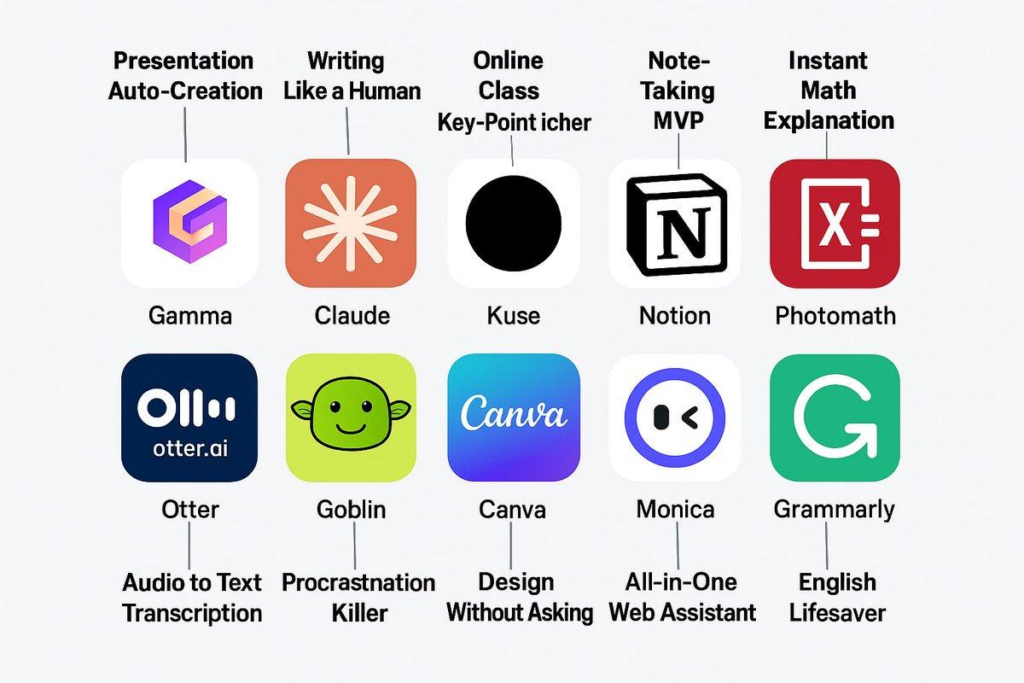
Artificial intelligence is no longer a futuristic concept — it’s here, and it’s changing how we work, create, and communicate. Whether you’re a content creator, student, marketer, or business owner, there are powerful Best Free AI Tools You Should Use in 2026, AI tools available right now that won’t cost you a dime.
In this guide, we’ll walk you through the 10 best free AI tools you should be using in 2026. These tools cover writing, image creation, productivity, coding, and more.
Why Use Free AI Tools?
Before we dive into the list, let’s talk about why free AI tools are worth your time:
- No financial risk — Try them before committing to a paid plan
- Surprisingly powerful — Many free tiers offer more than enough for everyday use
- Constantly improving — Companies update these tools regularly with new features
- Perfect for beginners — Learn AI without spending money
Now let’s explore the best options available.
1. ChatGPT (Free Tier)
Best For: Writing, brainstorming, answering questions, coding help
ChatGPT by OpenAI remains the most popular AI chatbot in the world. The free tier gives you access to GPT-4o mini, which handles most everyday tasks with ease.
What You Can Do for Free:
- Write blog posts, emails, and social media captions
- Get answers to complex questions
- Debug code and explain programming concepts
- Create outlines for articles and presentations
- Translate text between languages
Limitations: The free tier has usage limits during peak hours, and you won’t get access to the most advanced models or plugins.
Verdict: Essential tool for anyone working online. Start here.
2. Google Gemini
Best For: Research, summarization, Google Workspace integration
Google’s AI assistant (formerly Bard) has evolved into a powerful tool that integrates seamlessly with Gmail, Google Docs, and Google Search.
What You Can Do for Free:
- Summarize long articles and documents
- Generate images using Imagen
- Analyze uploaded files (PDFs, images)
- Get real-time information from Google Search
- Create content for Google Workspace apps
Limitations: Some advanced features require a Google One AI Premium subscription.
Verdict: Great if you already use Google Workspace. The real-time search integration is a major advantage.
3. Canva AI (Magic Studio)
Best For: Graphic design, social media posts, presentations
Canva’s Magic Studio brings AI-powered design to everyone. You can generate images, remove backgrounds, resize designs, and create presentations — all with AI assistance.
What You Can Do for Free:
- Generate images from text prompts
- Remove backgrounds from photos instantly
- Resize designs for different platforms
- Create social media posts with AI suggestions
- Design presentations with AI-generated layouts
Limitations: Some AI features like “Magic Expand” require Canva Pro.
Verdict: A must-have for anyone creating visual content. The free tier is generous.
4. Grammarly
Best For: Grammar checking, writing improvement, tone adjustment
Grammarly goes beyond simple spell-checking. It suggests improvements for clarity, engagement, tone, and style. The AI-powered writing assistant works in your browser, Word, and most writing apps.
What You Can Do for Free:
- Fix grammar and spelling errors
- Improve sentence structure
- Check for clarity and conciseness
- Get tone suggestions
- Works in Gmail, Google Docs, and social media
Limitations: Advanced suggestions for tone, clarity rewrites, and plagiarism checks require Premium.
Verdict: Essential for anyone who writes professionally. Install the browser extension immediately.
5. Notion AI
Best For: Note-taking, project management, writing assistance
Notion has integrated AI directly into its workspace. If you use Notion for notes or project management, the AI features help you write, summarize, and organize content faster.
What You Can Do for Free:
- Generate text and ideas within Notion pages
- Summarize long notes and documents
- Translate content
- Extract action items from meeting notes
- Create outlines and brainstorms
Limitations: Free plan has limited AI usage (limited number of AI responses per month).
Verdict: Perfect if you’re already using Notion. The AI features save hours of work.
6. Perplexity AI
Best For: Research, fact-checking, source-backed answers
Perplexity is like having a research assistant that cites its sources. Unlike traditional chatbots, Perplexity provides answers with footnotes and links so you can verify the information.
What You Can Do for Free:
- Ask complex questions with source citations
- Research topics thoroughly
- Get real-time information from the web
- Upload and analyze files
- Follow up with related questions
Limitations: The Pro search (more detailed, multi-step research) requires a subscription.
Verdict: Excellent for research. Use it instead of Google for fact-based questions.
7. Adobe Firefly
Best For: AI image generation, creative design
Adobe’s AI image generator is trained on licensed content, making it one of the safest options for commercial use. You can generate images, apply styles, and edit photos with AI.
What You Can Do for Free:
- Generate images from text descriptions
- Apply artistic styles to photos
- Remove and replace objects in images
- Create color variations
- Generate social media content
Limitations: Free tier gives you a limited number of generative credits per month.
Verdict: Best option if you need AI-generated images for commercial projects. Safe, legal, and high quality.
8. Descript
Best For: Video editing, podcast editing, transcription
Descript uses AI to make video and audio editing as simple as editing a text document. You edit by editing the transcript, and the AI handles the rest.
What You Can Do for Free:
- Transcribe audio and video automatically
- Edit videos by editing text
- Remove filler words (um, uh, like)
- Generate captions
- Create screen recordings
Limitations: Free plan has limited transcription hours and export quality.
Verdict: Game-changer for content creators. Video editing has never been easier.
9. QuillBot
Best For: Paraphrasing, summarizing, citation generation
QuillBot specializes in rewriting and summarizing text. It’s particularly useful for students, researchers, and content creators who need to rephrase content.
What You Can Do for Free:
- Paraphrase text in multiple modes (Standard, Fluency, Formal, etc.)
- Summarize long articles
- Check grammar
- Generate citations
- Translate text
Limitations: Free plan limits paraphrasing to 125 words at a time.
Verdict: Useful for students and writers. The paraphrasing modes are genuinely helpful.
10. Otter.ai
Best For: Meeting transcription, note-taking, audio recording
Otter.ai automatically transcribes meetings, lectures, and conversations. It identifies different speakers and creates searchable, shareable notes.
What You Can Do for Free:
- Transcribe up to 300 minutes per month
- Identify different speakers
- Get automatic meeting summaries
- Search within transcripts
- Export transcripts to text
Limitations: Free plan has limited transcription minutes and storage.
Verdict: Essential for anyone who attends lots of meetings. Never take manual notes again.
How to Get Started
You don’t need to use all 10 tools at once. Here’s a suggested starting plan:
- Install ChatGPT — Your go-to for writing and brainstorming
- Install Grammarly — Browser extension for writing quality
- Try Perplexity — For research and fact-checking
- Use Canva AI — For creating images and social media content
- Add the rest as needed based on your work
Final Thoughts
The AI revolution is happening now, and these free tools give you a front-row seat. Whether you’re writing your first blog post, designing social media graphics, or transcribing meetings, there’s a free AI tool that can help.
Start with one or two tools from this list, master them, and then explore more. The best part? They’re all free to try.
Which tool are you most excited to try? Let us know in the comments below!
Pingback: ChatGPT Review — Is It Worth Paying For in 2026? - Aidacoit
Pingback: How to create Humanoid robot
Pingback: How to Manage Your Phone Calls with Claude AI Assistant in 2026
Pingback: #post_titleAI Tools for Small Business Owners — Save 10 Hours/Week Aidacoit Aidacoit Aidacoit
Pingback: 10 Free AI Tools You Should Try in 2026 - Aidacoit
Pingback: ChatGPT vs Claude in 2026 — Which AI Is Actually Better?
Pingback: Why LangGraph Is So Popular in Enterprises
Pingback: ChatGPT vs Gemini vs Claude vs Grok – Which AI Should You Actually Use in 2026? - Aidacoit